
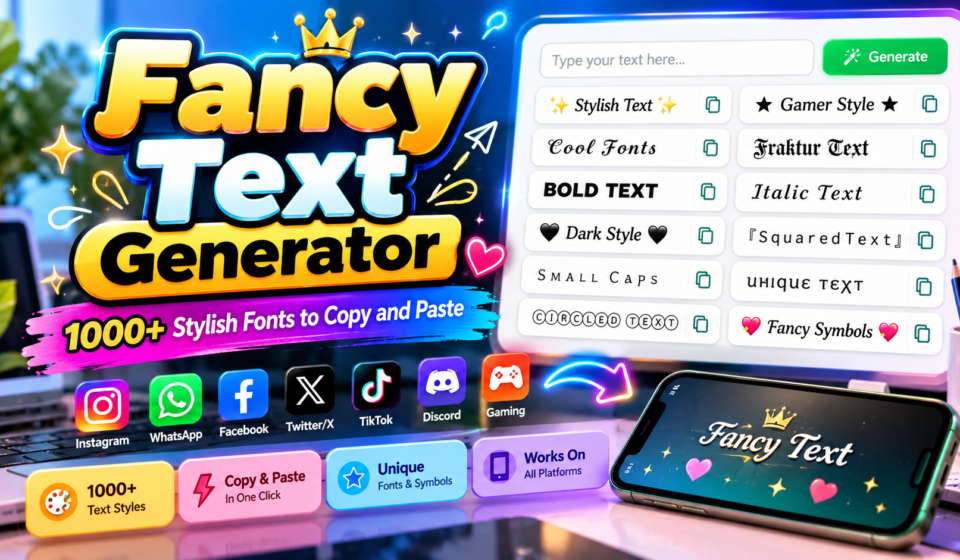

✨ Fancy Text Generator
Type your text below to instantly generate cool, stylish fonts and symbols for social media, gaming, and bios!
A browser-based service can reshape plain wording into copy-ready text with a font-like appearance, while the underlying result remains text rather than an installed typeface. That makes experimentation convenient for bios, captions, and public profiles.
Before publishing, compare glyph rendering across devices and check character support in the target app; a compact preview often reveals awkward spacing, missing symbols, or letters that weaken readability before the final copy goes live.
Table of Contents
What Is A Fancy Text Generator?
A fancy text generator is an online tool that converts ordinary text into visually distinctive styles using Unicode character sets, creating cursive lettering, Gothic lettering, bold text, and other text variations without traditional design software.
Instead of installing font files, users can copy the generated output through a copy function and paste function into supported applications; however, decorative Unicode characters may display differently, so prioritize readable text for important messages.
How To Use Our Fancy Text Generator
Enter your message in the input box, then inspect the style previews and compare options before choosing a design. A result balances personality with legibility, especially when your audience uses many different devices or apps.
Our tool requires no registration, so finish by selecting your preferred output and using the copy option. Paste it into the destination field, then verify spacing and character display before saving or publishing your content.
Fancy Text Copy And Paste
Choose a preferred result before sharing it, then inspect how its unusual lettering appears in the place where you plan to publish. A preview can reveal spacing or symbol problems before anyone sees the text.
On a phone, use the paste function to place the text where you need it. Read the result more because symbols may vary between services and screens; simple styles travel more reliably than elaborate combinations.
Also Read: Aesthetic Font Generator – Create 1000+ Cute & Stylish Text Styles
Fancy Text Styles And Types
Fancy text is best judged by technical appearance, not decoration alone: bold serif, bold italic, small caps, and fraktur can make a name distinctive, while compact labels and strong headings support quick scanning on screens.
Design software may favor lettering styles that remain editable, but artwork captions and posters often suit copyable Unicode. Test design elements separately, since decorative characters can behave differently after transfer between apps and devices today.
Key Features And Benefits Of A Fancy Text Generator
A useful generator prioritizes text customization, multiple styles, and one-click copying, letting users shape names or captions quickly. A browser-based tool lowers setup friction, while Unicode output makes many designs portable across everyday digital spaces.
Its strongest benefit is control: decorative lettering can add visual emphasis to a bio, yet readable text, device compatibility, and accessibility should guide every choice. Preview results before publishing to avoid confusing characters across platforms.
Where Can You Use Fancy Text?
Fancy text fits social media bios, captions, comments, and profile descriptions, where Unicode lettering adds aesthetic appearance without changing the message. Use short phrases for creative posts, stories, and online identity across different mobile apps.
Beyond basics, decorative text can personalize gaming names, forum profiles, email signatures, presentation notes, and digital artwork. Check platform compatibility before publishing, because character rendering may vary between mobile phones, web browsers, and supported fields.
Fancy Text For Social Media
Across social media profiles, personal branding can benefit from distinctive names, bios, and captions. Apply text styling to short messages or selected phrases, keeping digital communication clear across supported applications for broad reach and recognition.
Check platform restrictions and device display before posting, since results vary by app. Prioritize visual presentation, profile customization, and copy and paste while keeping online identity clear and comments easy to read for every audience.
Fancy Text For Instagram
Instagram bios benefit from profile personalization that reflects your voice; test text styles beside your usual wording, then choose decorative characters that remain legible across the profile and fit Instagram’s available space on different devices.
Before posting, preview result in the app, because character rendering can vary by device; keep important details in ordinary text, and use copy-and-paste workflow to move your final design into Instagram confidently without extra downloads.
Fancy Text For Facebook And Twitter/X
On Facebook, social posts can gain personality through fancy text, but reserve decoration for names or short updates so readers recognize the message and important information remains easy to scan quickly, especially on crowded timelines.
For Twitter/X, check character limits, supported characters, and the final text display before posting. Copy the result into your post field or profile field, then run compatibility testing on another device before sharing publicly.
Fancy Text For Other Social Platforms And Messaging Apps
Beyond major networks, messaging apps and community platforms can use decorative lettering for greetings, status lines, and group announcements. Test special characters in text fields first, because application support varies across devices and accounts alike.
On niche platforms, Unicode characters can add visual distinction to short updates, while longer conversations benefit from readable content. Use the copy-and-paste workflow carefully, then review the destination application before publishing across devices and accounts.
Fancy Text For Gaming
Competitive online gaming profiles benefit from gaming usernames that pair distinctive text with readable letters. Test Unicode styles in your game’s name field before saving, since teammates must recognize your identity quickly during ranked matches.
Discord players may favor nickname customization or decorative symbols, but overloaded lettering can become difficult to read on small screens. Choose supported characters, compare the preview, and keep clan tags short enough for quick identification.
How Does Fancy Text Work?
Fancy text starts with plain input, then matches letters to alternative character codes or Unicode code points. This text encoding process changes appearance while keeping the result selectable as text, not an image, for copying.
Generators commonly rely on mathematical alphanumeric symbols and decorative glyphs to imitate scripts, bolding, or italics. Output may look font-like, but display still depends on each app’s character support and rendering choices across different devices.
Unicode Text And Fancy Fonts
Fancy text changes plain words through character mapping, replacing letters with Unicode characters that resemble script, bold, or decorative lettering. These remain selectable text, not pictures, although each stylized text choice depends on glyphs.
Because the design uses encoded symbols rather than installed typefaces, the same result can look different across apps; test font-like characters in your target field, especially when readability or accessibility matters on smaller mobile screens.
Why Choose Our Fancy Text Generator?
Our fancy text generator helps turn ordinary letters into visually distinctive styles for social media posts, online profiles, and gaming names. I value quick previews, simple copying, and readable results over decoration alone for everyone.
Unlike tools that merely add flair, it offers multiple text styles and Unicode output with easy copying through a simple interface. Test each result in its destination because platform compatibility and character display can vary widely.
Fancy Text And Screen Readers
Fancy text can look clear to sighted readers yet become confusing when decorative Unicode replaces ordinary letters. Screen readers may pronounce unusual characters individually, skip them, or interpret their meaning inconsistently across apps and devices.
For names, links, instructions, and longer written messages, prioritize accessible writing over decorative appearance. Test styled output manually with assistive technology, prefer familiar characters, and provide readable messages so meaning never depends on appearance alone.
Fancy Text, SEO, And Content Readability
Fancy text can attract attention, but search engines still rely on meaningful wording and context. Treat decorative characters as accents, not replacements for clear keywords, headings, or essential information throughout your website content across pages.
For practical SEO, preserve keyword readability and keep ordinary readable text for key messages. Useful accents may improve scanning, yet search visibility, content quality, and user experience depend on clarity rather than decoration by itself.
Best Practices For Using Fancy Text
Choose style selection with the destination in mind: a playful bio can handle decorative lettering, while work-related profile text needs readable design. Keep text hierarchy clear, and reserve visual accents for brief details that matter.
Before publishing, test Unicode support across devices and check character restrictions in each app. Use standard text for important instructions, avoid confusing lookalikes, and prioritize text accessibility over decoration when clarity could suffer for readers.
Fancy Text For Chatting And Documents
Fancy text can personalize chat messages, but readability should guide each choice. I recommend testing copy-and-paste text inside the destination app before sending, especially when decorative symbols might confuse readers or alter meaning in conversation.
For long paragraphs, documents usually benefit from plain, stable lettering; reserve unusual styles for brief headings or signatures. Check font rendering across email clients and the recipient device, then confirm readable details remain clear everywhere.
Fancy Text For Stylish Names And Email Signatures
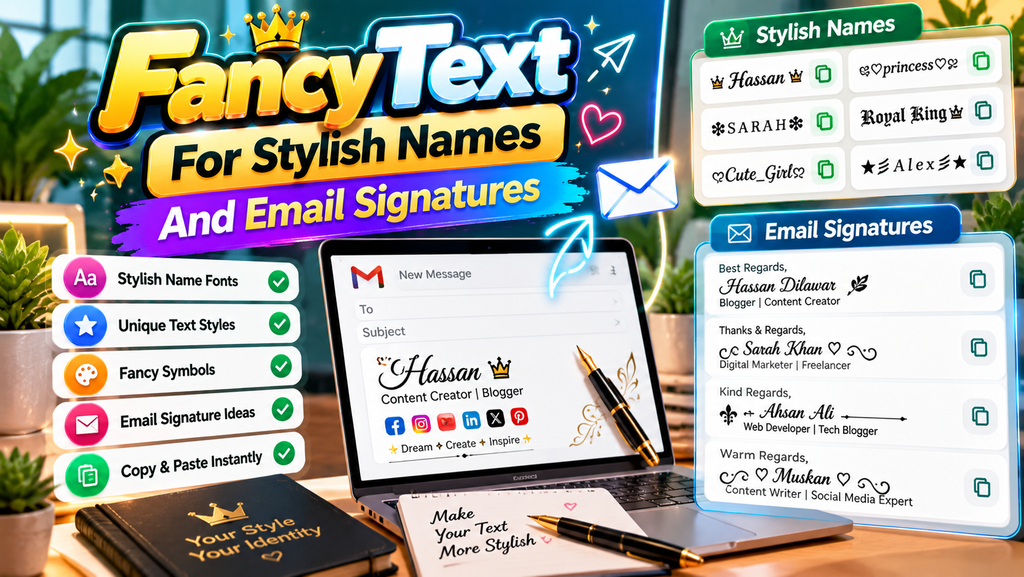
For a memorable username, test decorative names against your usual profile look before publishing. A unique appearance can signal personality, but keep the spelling recognizable so friends and colleagues can find you easily online today.
For email signatures, restrained styling often works best; run compatibility testing on phone and desktop screens. Professional communication depends on clarity, so keep important messages easy to scan and confirm message display before sending it.
Also Read: Ink Your Words: Free Tattoo Font Generator
Quick Templates And Fancy Text Examples
For a profile refresh, test short phrases with style selection first: turn a nickname into bold lettering, frame a caption with stars, or keep a clean version ready for quick copying across your favorite platforms.
For practical examples, prepare paste-ready text for bios, creative messages for chats, and signature design for email; compare each preview before publishing, because decorative characters may display differently across apps and devices you use daily.
Conclusion
A fancy text generator can add personality to names, captions, and profiles, but the strongest result is not always the most elaborate; readable Unicode characters and thoughtful text customization usually serve people better in practice.
Before publishing, test each style across supported platforms, check text readability, and keep essential details in ordinary characters. A quick copy function helps, yet accessibility and compatibility should guide every final choice you make online.
What Is A Fancy Text Generator?
A fancy text generator is a free online tool that transforms ordinary text into stylish lettering using special Unicode characters. You can create decorative names, attractive captions, unique bios, and creative messages for different platforms.
Is The Fancy Text Generator Free To Use?
Yes, you can use a fancy text generator for free. Enter your text, explore the available styles, and copy your favorite result without purchasing software or installing additional fonts.
How Do I Copy And Paste Fancy Text?
Type or paste your text into the generator’s input box. Browse the generated styles, select your preferred design, and click the copy button. Then paste your fancy text into a supported app or text field.
Where Can I Use Fancy Text?
You can use fancy text in social media bios, usernames, captions, gaming profiles, chat messages, and status updates. Compatibility may vary across platforms, so check how your selected characters appear before publishing.
Does Fancy Text Work On All Devices And Platforms?
Fancy text works on many modern devices and platforms because it uses Unicode characters rather than traditional font files. However, some characters may appear differently or as empty boxes, depending on device support, applications, and fonts.


