


Block text uses a 5×7 retro font, so it works best with short words. For apps that squash spaces (Instagram, WhatsApp), choose the emoji squares style.
A pixelated text generator can give plain writing a distinctive visual identity, using pixel-shaped letters to evoke classic digital design while helping creators prepare usernames, profile details, and other short text for online projects quickly.
Because some tools return Unicode text instead of image files, checking monospace text and decorative Unicode variations can help you judge readability, platform support, and whether a chosen style suits your intended use before sharing.
Table of Contents
What Is A Pixel Font And Pixelated Text Generator?
A pixel font builds letters from small pixels or block-shaped characters, giving text a deliberately stepped appearance instead of smooth curves. Designers use this pixel-based typography to evoke classic games, interfaces, and retro digital artwork.
A pixelated text generator turns typed words into decorated text, but its output is not always made from actual square image pixels. Check each result on your target platform before publishing it to confirm readability.
How To Use A Pixel Font Generator
Open the online generator in your web browser and type your name, caption, or gaming phrase into the input field. Try shuffle or style browsing to discover a look that best suits your use case.
In practice, check alternatives at normal size, then make a size adjustment if lettering feels crowded. Once satisfied, choose your selected variation and use the result for clean text transfer into a profile or message.
Why Use A Pixel Font Generator?
A pixel font generator adds a nostalgic appearance to usernames, banners, and game artwork without requiring a dedicated typeface. This approach helps short titles feel deliberate, distinctive, and recognizable at a glance on busy screens.
Use it when ordinary lettering feels too polished: retro style can support arcade projects, while free access and no installation make experimentation convenient across devices. Compare options before copying, since decorative characters may render differently.
Also Read: Big Text Generator: Make Words POP!
Key Features Of A Pixelated Text Generator
Multiple output styles let a pixel font generator present blocky typography, outlined text, and fullwidth text without changing message. A live preview makes variations simple to compare before choosing lettering for profiles, captions or graphics.
Font-size setting and text-style selection help balance readability with a retro digital appearance. The copy function places Unicode output on your clipboard; image customization and export options support polished graphics when plain text is insufficient.
Pixel Font Styles And Examples
Pixel font styles aren’t limited to chunky letters; a generator can create text variations through Unicode transformation, including Retro treatments and monospace output. Compare results at their intended display size before selecting a favorite version.
For comparison, type one phrase and inspect generated text, input text, and output examples side by side. Visual examples reveal whether squared letters stay legible, while 🅿🅸🆇🅴🅻 offers a compact, instantly recognizable pixel-inspired sample design.
Where Can You Use Pixelated Text?
Pixelated text extends beyond account names: use it for esports merchandise, music artwork, event artwork, or arcade titles where chunky lettering supports a playful retro mood. Test designs at final display size before publishing online.
For personal projects, add pixel treatment to Discord servers, logos, or retro-tech branding; use neon social media posts for announcements, then check readability on phones because decorative characters may render differently across apps and browsers.
Create Text Graphics With Pixel Fonts
Create digital graphics with pixel font styles by turning short headings into compact retro-inspired artwork. I usually test contrast first, because logos, posters, and YouTube thumbnails need readable letter shapes at smaller sizes on screens.
For banners or streaming graphics, export the composition as an image when genuine pixel blocks matter; Unicode copy-and-paste text may imitate the mood, but it cannot guarantee font rendering across every device and platform consistently.
Edit Image
Refine your pixel-style artwork with image editing controls before sharing it. Adjust colors, compare visual effects in the preview, and test contrast so the final graphic matches your intended retro design across different digital platforms.
Before exporting, use image customization to check font-size control, spacing, and contrast; compare the live preview against your layout, then save a clear PNG export with crisp pixel edges for posts, headers, or website graphics.
More Fonts To Check Out
For a different retro mood, explore Lego Font Generator for brick-inspired lettering, then compare Roblox Font Generator and Pokemon Font Generator for game-related designs. Each option can complement pixelated visuals without repeating the same look.
When your design needs softer color and nostalgia, try Vaporwave Text Generator or Mario Font Generator. These related tools offer another direction for titles, profile names, thumbnails, and playful graphics beyond square, pixel-like lettering alone.
New Added Fonts
New additions such as Dotimatrix, Thyme Nu, and 7 Squared give your pixelated text generator more distinctive options, from tightly spaced digital lettering to crisp, arcade-inspired titles for profiles, thumbnails, and creative projects, and banners.
Try Karmatic Arcade for a nostalgic game-screen feel, while Charybdis can add unusual character to themed graphics. Compare readability at small sizes before copying results into usernames, bios, stream overlays, or channel art across devices.
Pixel Neon AI Display Font Generator
Pixel Neon AI Display Font Generator builds synthwave visuals with cyan and pink colors, shaping futuristic lettering for gaming graphics. Its neon effects give headings presence without requiring separate design software or advanced editing skills.
Use arcade scenes and title cards for channel banners, event covers, or stream panels; subtle glow effects can emphasize short labels, while restrained retro gaming details keep busy compositions readable at smaller screen sizes too.
Styles Using Pixel Neon
Pixel Neon pairs cyan with neon pink, while glowing effects give luminous lettering the high-contrast finish expected from an AI display font generator; use this look for titles, overlays, and compact visual identities across platforms.
Explore retro-futuristic artwork through pixel-shaped typography, then adjust display typography for banners or thumbnails; the resulting generated images can balance arcade nostalgia with modern neon gradients, glowing text, and square pixels for varied social profiles.
Cyberpunk
Cyberpunk style transforms pixel lettering through glowing typography and retro color treatments, pairing electric pink, cyan, and violet with sharp block shapes. These Pixel Neon styles suit futuristic gaming banners, avatars, and stream overlays online.
For a convincing cyberpunk result, combine pixel art with arcade design, then keep contrast high so tiny squares remain legible. I find restrained highlights make the text feel futuristic without sacrificing readability on smaller screens.
Synthwave
Synthwave digital art pairs synthwave branding with retro pixel typography, turning visible pixels into signature details. Neon effects, glowing lettering, and neon-tube lettering shape futuristic typography for posters, playlists, and album campaigns across music media.
Rather than resembling actual pixel-based images, the design recreates a luminous appearance through soft glow, glowing pixels, and light effects; flat pixels remain useful when crisp, grid-like edges matter at small sizes on compact screens.
Pixel Art
Pixel art builds images from individual pixels, where blocky letter shapes and limited grids create recognizable characters. Its roots in 8-bit video games remain visible, although modern designers use richer palettes and sharper layouts today.
Unlike ordinary retro typography, pixel art depends on deliberate grid placement, not merely decorative Unicode. For profile banners, icons, or game scenes, test pixel styles at size; actual pixel rendering preserves crisp edges when exported.
Transparent Effect
Transparent effects let pixelated lettering sit naturally over thumbnails, banners, and layouts without a solid box. Adjust opacity carefully, preserve crisp edges, and preview the backgrounds before exporting the finished design on different screens first.
For logos and overlays, test PNG export in an image editor, where transparent areas remain clear. Subtle glow, shadows, and image effects can add depth, but keep every pixel legible against light and dark layouts.
About Pixel Neon AI Font
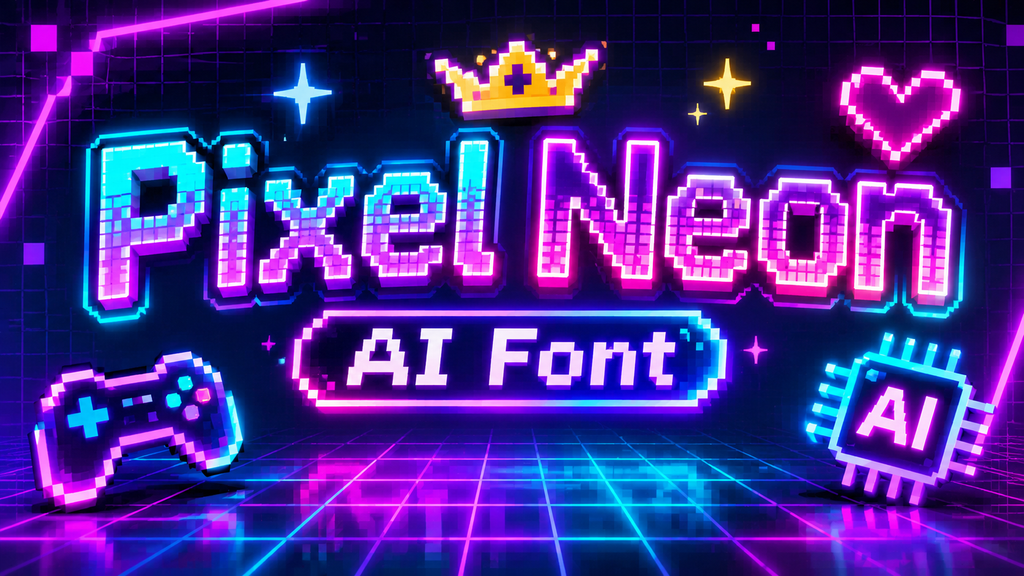
Pixel Neon AI Font creates luminous lettering for creators who want more than ordinary pixel fonts. Its neon pixel style combines glowing pixel artwork with retro-futuristic colors, giving digital titles a vivid arcade-inspired presence onscreen.
Unlike plain traditional pixel fonts, this approach can use blocky lettering, arcade graphics, and pixel-shaped text in a custom text artwork composition. The result suits banners, thumbnails, and profile visuals when a distinct 1980s-inspired aesthetic matters.
Also Read: Gothic Font Generator – Create 1000+ Stylish Blackletter & Old English Texts
Can I Use Pixel Fonts On Discord?
Yes, you can use pixelated lettering in Discord gaming profiles, server descriptions, channel names, and messages. The key is choosing readable characters that fit Discord’s text fields without reducing clarity on desktop and mobile alike.
Most generator outputs rely on decorative characters, not installed bitmap fonts, so their appearance may vary across devices. Test copy-and-paste styles in your server first; check readability, accessibility, and name display before sharing them broadly.
Is The Pixel Font Generator Free?
The generator offers browser-based access with no registration, so you can test multiple text styles without creating an account. Check available features before expecting every export option to be free for personal projects or experiments.
For quick designs, no software installation is needed, and copy-and-paste text may suit everyday posts. However, image exports, advanced effects, or commercial permissions can have separate limits; review the tool’s pricing details first before publishing.
Can I Download Pixel Neon?
Yes, you can download image files when the generator provides an image-export option; choose a suitable format, check the preview, and save the generated graphic for later editing or sharing in your future personal projects.
Pixel Neon downloads are easiest to reuse when you choose transparent PNG for layered designs or JPG export for simple sharing; inspect the image output at full size, especially around glowing edges and fine details.
Why Do Glowing Pixels Look Like Light, While Flat Pixels Just Look Like Coloured Squares?
Flat pixels read as coloured squares because each block keeps a uniform tone and crisp edge; a pixelated appearance does not automatically suggest light on a screen display without brightness spreading beyond its edges outward.
A neon glow pulse feels brighter when smooth glowing text is paired with darker surroundings; controlled color fills create contrast, helping the luminous centre stand apart from flat lettering even at small sizes on screens.
Conclusion
A pixelated text generator can create copy-and-paste styles for profiles or pixel-font images with block typography, 8-bit graphics, and retro aesthetics. These are outputs, not interchangeable font files; always check the result carefully before publishing.
For finished artwork, check whether the editor supports neon-art generation, transparent PNG export, color fills, and JPG export options; confirm commercial use and licensing before using a generated graphic in client projects or online publication.
Can I Use Pixelated Text On Social Media?
Yes, you can copy supported Unicode styles into social media bios, captions, usernames, and posts. However, appearance varies by platform, device, and font support, so preview your text before publishing to avoid display surprises later.
Does A Pixelated Text Generator Create Actual Pixel Fonts?
Some tools create copyable Unicode characters, while others render pixel-style graphics as images. Check the output format before starting: copied text is editable text, whereas an exported image is a separate graphic file for sharing.
Can I Download My Pixelated Text Designs?
Download options depend on the tool. Some generators let you save pixel-style artwork as PNG or JPG, while text-only tools provide a copy button. Check export settings before creating a design for your intended use.
Is The Pixelated Text Generator Free To Use?
Many pixelated text generators are free to use in a browser, but features may differ. Some offer basic styles without registration, while advanced effects, downloads, or commercial permissions may have separate conditions or usage limits.
Can I Use Generated Pixelated Text For Commercial Projects?
Do not assume generated text or artwork is automatically cleared for commercial use. Check the generator’s terms for licensing, attribution, and permitted uses, especially before placing designs on merchandise, online advertisements, or client projects too.


