
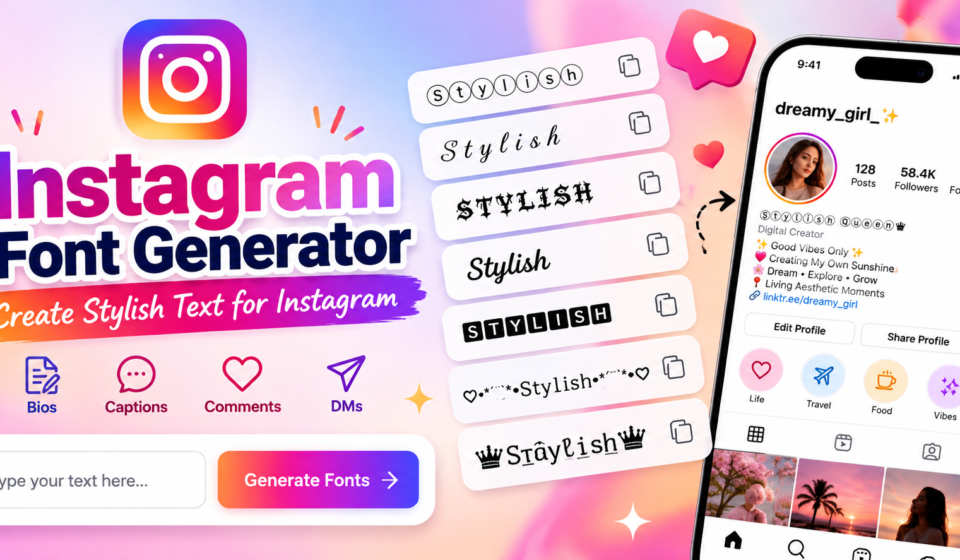

InstaFont Studio
Generate & Copy Fancy Fonts for Instagram Bio & Captions
A font generator transforms ordinary letters into stylized characters without installing new files. The output travels as text rather than a typeface embedded in the app, so display support can vary across devices and applications.
Before choosing a style, check the preview and consider profile appearance, especially when using Instagram bios or Instagram comments. Simple lettering often stays clearer, while elaborate symbols may render differently across devices and assistive tools.
Table of Contents
What Are Instagram Fonts And How Do They Work?
Instagram lettering often looks like a new font, but an Instagram font generator generally replaces ordinary letters with Unicode characters. This character substitution creates decorative text that users can copy into profile fields directly, easily.
The symbols travel as text rather than an installed typeface, so their appearance depends on each app’s and device’s glyph support; test a sample before using it in your public-facing bio, caption, or profile description.
How To Use The Instagram Font Generator
Start by entering your name or phrase in the text input. Review the generated variations rather than choosing the first result; compare letter shapes, spacing, and clarity before deciding which version fits your profile well.
Open Edit Profile when updating account details, then place your chosen result in the display-name field or another suitable area. Preview the finished text, save changes, and check how it appears on your own device.
Instagram Font Styles And Examples
Styles are more than decoration: bold style highlights key phrases, while italic text adds subtle emphasis. Small caps, script styles, and Unicode lettering personalize bios, but test readability across devices first before publishing your profile.
Examples work best when matched to context: use decorative fonts sparingly in an Instagram bio, choose cursive for a softer tone, and preview styled characters before copying them into captions or comments on your phone.
Also Read:Bold Font Generator: Transform Your Text Instantly
Why Use Fancy Fonts On Instagram?
Fancy fonts can create visual variety, but their value goes beyond decoration: a carefully chosen style can strengthen profile branding, highlight a key idea, and help visitors quickly recognize your personality before reading your posts.
Use selective styling for important information, short titles, or calls to action; keep legible text for names and searchable details. This balance supports content readability and audience engagement without making your profile feel visually crowded.
Where To Use Instagram Fonts
Use styled headings in carousel posts and cover frames to establish visual hierarchy; reserve selective emphasis for key details in profile descriptions, where careful text placement helps content hooks guide visitors quickly and keeps the visual format easy to scan on smaller screens too.
Content creators, businesses, and influencers can use styled bios to reinforce brand identity, add concise calls to action, and maintain social media branding; recognizable comments also help conversations feel consistent without copying a visual style everywhere across posts, replies, and messages when appropriate.
Instagram Font Compatibility And Limitations
Stylish output is not a true installed typeface; it relies on Unicode, so character coverage varies. Test names, letters, and punctuation marks on your phone before publishing important profile text across several devices and apps.
A design may look elegant in the generator yet become boxes when an operating system lacks a matching glyph. Device compatibility and screen-reader interpretation matter, so keep essential details visible for names and contact information.
Tips For Using Instagram Fonts Effectively
Prioritize readability over decoration: choose visual differentiation for a short introduction, then keep essential details easy to scan. Preview the result on your phone and check how it looks across account areas and screen sizes.
For brand consistency, reserve profile personalization for accents or labels, avoid stacking symbols, and test every design in context. If characters render poorly on screen, switch to plain lettering rather than sacrifice clarity for readers.
Instagram Character Limits And Username Restrictions
Instagram’s username limit is stricter than its display name options: the @username field follows username restrictions, while a profile bio offers more room. Check permitted characters before choosing a style that suits your identity well.
For bios and captions, compare the Instagram bio limit with the caption limit and review character counts, since styled Unicode may display differently across devices. Keep important details concise, then preview the text before posting.
Instagram Fonts And Accessibility
Accessibility matters more than visual novelty: decorative Unicode names can make profiles distinctive, yet screen-reader accessibility may suffer when assistive technology announces unfamiliar stylized characters awkwardly. Keep plain-text names available wherever possible for everyday clarity.
Before publishing, test Unicode support across devices, because character rendering varies and uncommon symbols can become boxes. Preserve search keywords in readable text; decorative styling may weaken keyword matching and searchability for visitors searching profiles.
How Do I Change Fonts On Instagram?
Instagram lacks a universal font menu, so use an online generator to create styled text, copy and paste it into your Instagram bio field, then check how it appears on your profile before saving changes.
To change lettering, compare font variations, then paste into Instagram captions, Stories, or comments where supported; leave the @username plain, since special characters are restricted and device rendering differs across phones and operating system versions.
How Do Instagram Font Generators Work?
An Instagram font generator usually maps entered text to alternate Unicode characters, producing pseudo-fonts instead of installing typefaces. Its text transformation relies on standardized character encoding and character substitution, rather than newly designed font files.
After typing, the tool creates styled output and offers preview options; checking them catches glyphs before copying. Final screen rendering still depends on character support and how apps display decorative text styles across different devices.
Can I Use Stylish Fonts In My Instagram Username?
Stylish lettering can personalize a profile, but @username options follow stricter rules than bios. Instagram may reject decorative Unicode, so check permitted characters carefully before choosing a memorable handle that fits your account on Instagram.
Use a display name for creative flexibility, then verify character counts in the username field. Stylish choices can weaken searchability, so compare search results with a plain version before committing to your handle on Instagram.
Do Instagram Fonts Work On Android And iPhone?
Yes, Instagram’s device compatibility usually works across Android devices and iPhones because generators create Unicode text rather than installable typefaces. However, older devices and operating systems may display decorative characters differently, depending on system support.
Before publishing, perform text testing with copy-pasted text in your bio, captions, and messages, then compare cross-device display. If unsupported characters appear as boxes, choose simpler styles for reliable reading on both phones; check spacing.
Can I Use Instagram Fonts On Other Social Media Platforms?
Yes, Instagram-style text can travel to other social platforms, including profiles and messaging apps, when they support the same Unicode characters. A generator changes characters, not the app’s native font, so rendering may vary slightly.
Before posting, copy-and-paste text into the target app and check font compatibility on Android and iPhone. Decorative lettering may become boxes, lose emphasis, or affect screen-reader output; keep names and important details in ordinary text too.
Can I Use Stylish Fonts In Instagram Captions, Stories, Comments, And DMs?
Yes, stylized text can appear in Instagram captions, stories, comments, and direct messages when you copy and paste a result from a generator; however, each field and device may display decorative characters differently across devices.
Use decorative styles sparingly for emphasis, not every sentence. Preview results before posting, because platform support and screen rendering vary; keep important messages readable for followers across devices and apps they commonly use every day.
Are Instagram Font Generators Free To Use?
Most Instagram font generators offer a free tool for styling text: users enter text, preview styles, and copy results without paying. Many require no signup, though upgrades, ads, or premium features may vary across websites.
Before choosing a paid plan, test whether Unicode-based pseudo-fonts render correctly in your bio, captions, and devices. Free tools often provide copy-and-paste functionality; payment usually depends on extra design options, limits, or convenience features offered.
Are Instagram Font Generators Safe To Use?
Most generators are safe when they simply transform typed text into alternate glyphs; cross-platform encoding itself is not a security threat. Avoid sites asking for passwords, downloads, or permissions unrelated to text generation or access.
Test generated text for website compatibility and username compatibility, and watch for unsupported symbols that display incorrectly. Never share login details; prefer tools requiring no downloads or account access, and check their privacy policies first.
What Are The Best Fonts For An Instagram Bio?
Your best fonts for an Instagram bio support distinctive bios and stylish lettering, not decoration alone. Bold script, cursive styles, and small caps can spotlight personality while keeping names and essential details recognizable and legible.
Choose suitable copyable styles that suit your tone: Old English feels dramatic, while circled letters or monospace look structured. Preview the result on mobile, then preserve plain-text keywords so visitors can quickly understand your profile.
Why Do Some Instagram Fonts Appear As Boxes Or Question Marks?
Those boxes usually mean the device or app cannot render a character, not that the generator is broken. Different character sets, unsupported symbols, or software systems can prevent text characters from displaying correctly on screen.
Because Instagram relies on device-level text interpretation, one phone may show a symbol while another displays placeholder boxes or question marks. Try a simpler style, update apps, and check the result across devices before publishing.
Do Styled Fonts Affect Instagram Reach Or Searchability?
Styled Unicode rarely causes a direct reach penalty, but it can weaken searchability when keywords become unfamiliar characters. Keep names, niche terms, and hashtags in ordinary letters so people can find your profile more reliably.
Styled accents can still create a recognizable style and draw audience attention without replacing useful wording. Preserve plain text for searchable details, then test Instagram content on mobile and ensure captions remain readable for everyone.
What Are The Character Limits For Instagram Bios And Captions?
The Instagram bio limit is 150 characters, while the caption character limit is 2,200. Spaces, punctuation, and emojis count, so check the final draft against Instagram rules before publishing to avoid rejection or truncation problems.
Stylish text still needs to fit the text length available; bio space is much tighter. Lead with the useful detail, because captions usually reveal about 125 characters before “more,” even when the full caption fits.
Can I Use Custom Fonts In Instagram Captions?
Yes, Instagram captions can use generated text styled with Unicode, adding emphasis without uploading font files. These decorative styles paste directly into captions as Unicode characters, rather than changing Instagram’s installed typeface within the app.
Still, feature compatibility varies: some glyphs may display as boxes or look different across phones, and screen readers may pronounce them unpredictably. Keep important details readable, then test the caption before sharing publicly with friends.
Do Instagram Font Generators Have Any Limitations?
Instagram font generators convert ordinary letters into Unicode symbols, but these results are not conventional typefaces. Some unsupported Unicode characters may appear as boxes, question marks, or blank spaces on particular devices, browsers, or applications.
Long decorative strings can trigger combining-character effects, uneven spacing, or inconsistent rendering; elaborate styles may reduce readability for screen readers. Test samples across devices, and keep essential details in plain text for clear online communication.
Common Instagram Font Mistakes
Many profiles look cluttered when decorative characters replace clear wording, or when every line uses a different style. Keep names recognizable, check username restrictions, and avoid symbols that obscure meaning or confuse visitors on mobile.
Before posting, use platform testing to catch placeholder symbols and display errors across devices. Prefer readable captions, reserve decorative styling for short emphasis, and consider screen-reader compatibility so important details remain understandable to more people.
The Complete Guide To Instagram Fonts
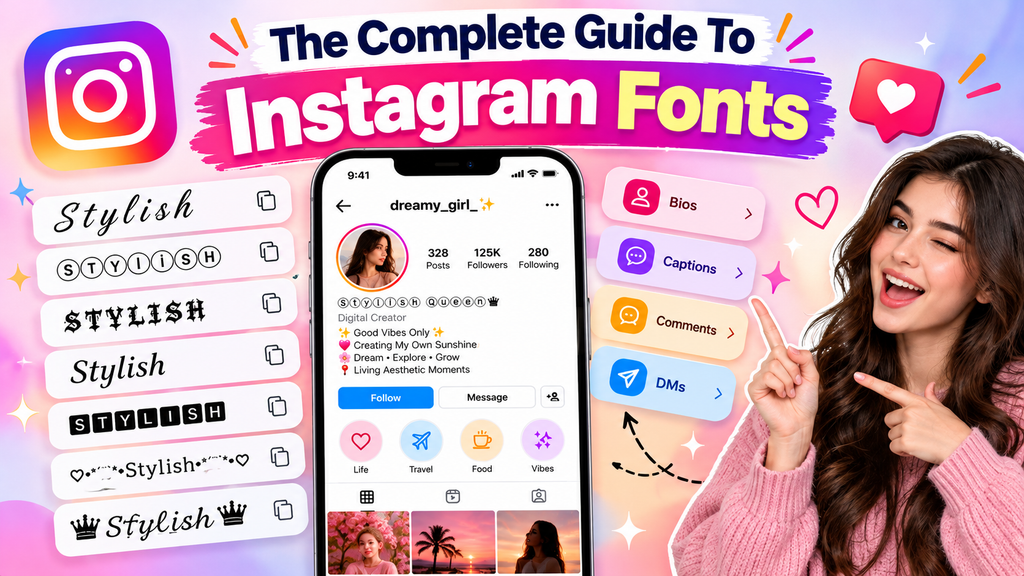
An Instagram font generator does not usually install new typefaces; it converts ordinary writing into Unicode text that may resemble bold text, script lettering, or Gothic characters across supported text fields on many modern devices.
Choose styles for profile identity and brief visual emphasis, then test cross-device rendering before posting. Keep names understandable: decorative letters can create accessibility concerns, while unsupported characters may reduce discoverability in ordinary Instagram search results.
Also Read: Russian Font Generator – Stylish Cyrillic Text
Where Styled Fonts Work Best On Instagram
Styled fonts work best where a quick visual cue helps people scan your profile: display names, profile taglines, and short descriptions can gain personality without making essential details difficult to read at a glance.
Reels and story graphics also suit text overlays, especially for important phrases or brief calls to action; keep visual consistency and strong font choice, then check platform compatibility carefully across different phone screens before publishing.
Where To Use Instagram Fancy Fonts: Creator-Specific Applications
Creators personalize text in Instagram bios and the display-name field to establish content identity; short emphasis helps attract attention, while emphasized phrases make services and portfolio details easier to scan across cross-platform profiles on mobile.
For launches, creators may add stylized lettering to Instagram Stories, highlight key information in caption formatting, or use memorable text in direct messages. Check accessibility and platform rendering before publishing across audiences on different devices.
Conclusion
An effective Instagram Font Generator is not merely decoration; style selection should support identity, while Instagram presence remains clear. Use posts to reinforce a recognizable voice, not to make every message visually noisy for readers.
Before publishing, prioritize readable content and essential information; decorative characters can distract or fail across devices. A generator helps creators test font selection, preserve meaning, and choose a style that feels intentional rather than excessive.
What Is An Instagram Font Generator?
An Instagram Font Generator is a free online tool that transforms regular text into stylish Unicode characters. You can copy these designs and paste them into your Instagram bio, captions, comments, and other supported text fields.
How Do I Use An Instagram Font Generator?
Type your desired text into the generator, browse the available font styles, and choose your favorite design. Copy the generated text and paste it into your Instagram profile, caption, story, or comment.
Are Instagram Font Generators Free To Use?
Many Instagram Font Generators are free to use and do not require registration or software installation. However, features may vary between websites, so check the individual tool before using it.
Do Instagram Fonts Work On Android And iPhone?
Most Unicode-based Instagram fonts work on Android and iPhone, but appearance depends on the device, operating system, and character support. Always preview your text on different screens to identify unsupported characters or display errors.
Can Stylish Instagram Fonts Affect Accessibility Or Searchability?
Yes. Some decorative Unicode characters may be difficult for screen readers to interpret and may not be searchable like ordinary text. Use stylish fonts sparingly, keep important information in standard characters, and prioritize readability.


[…] Also Read: Instagram Font Generator – Stylish Text Magic […]