


Gothic Font Generator
Transform your text into elegant Gothic, Fraktur, Medieval, and Dark Aesthetic styles.
Rather than treating Gothic text as decoration alone, I use a Gothic font generator to test historical typography against modern design needs. Blackletter, Fraktur, and Old English can reshape lettering into a distinctive visual identity.
In practice, the useful result is not merely ornate text; it is a selected typeface or Unicode treatment that fits readability, audience, and platform. I compare variations before choosing a final Gothic style carefully today.
Table of Contents
What Is A Gothic Font?
A Gothic output can give familiar writing a historical edge through Blackletter output, Fraktur output, or Old English output. Medieval-style output reshapes letterforms into decorative lettering, making ordinary language feel formal, dramatic, and distinctly old-world.
To me, Gothic variants matter because the style is broader than one typeface. Stylized characters can support typography with strong visual impact, while practical legibility still determines whether the finished text communicates clearly online today.
What Does A Gothic Font Generator Produce?
A Gothic font generator produces stylized text through different Gothic treatments, giving phrases a bold appearance or ornate aesthetic without requiring installed font. The result is usually Unicode-based output built for copy and paste across platforms.
Depending on the tool, output may include Gothic characters, Blackletter characters, Fraktur characters, or Bold Fraktur characters, allowing style comparison before sharing the generated text in profiles, captions, gaming names, logos, or digital artwork.
Why Use A Gothic Font Generator?
A gothic font generator helps test Gothic fonts when choices feel predictable, giving designers style variations for social media, logos, tattoos, and gaming identities without software. I use this approach to compare mood before decisions.
It supports Unicode Gothic text for copy and paste across social platforms, while live preview makes comparison practical. In projects, variants prove useful for exploring branding, decorative design, and readable profile names before final artwork.
Also Read: Manga Font Generator – 1000+ Anime, Japanese & Comic Text Styles to Copy and Paste
How To Use A Gothic Font Generator?
Start with your phrase, then test quick experimentation across Gothic styles before judging the result. I usually compare readability first, because visual comparison reveals whether a dramatic choice still works for intended audience and platform.
Next, adjust the generator’s style and copy the preferred result for social profiles, gaming identities, or decorative text. For projects needing stronger identity, I check branding details before exporting, ensuring the lettering remains clear everywhere.
Where Can You Use Gothic Fonts?
Gothic fonts fit social media, profiles, captions, and messaging when users want usernames, bios, or decorative text that gives ordinary posts a stronger visual identity. Gaming names and logos also benefit, especially for fantasy projects.
For tattoos, posters, design projects, and digital artwork, Gothic styling adds a deliberate historical edge. I often recommend testing branding applications across platforms first, because decorative lettering can change character appearance before final production carefully.
How To Choose The Right Gothic Style?
Choosing Bold Fraktur suits dense, formal projects, while Modern Gothic works better for cleaner branding. I compare weight, spacing, and readability first, because style should support the message instead of overpowering it across formats online.
For tattoos, Gothic Tattoo and tattoo lettering create stronger personality; Gothic Calligraphy adds ornament for invitations. In practice, I also test Gothic Serif against Gothic Display to judge readability before final selection carefully, consistently online.
Gothic Font Styles / Types?
Gothic styles span Old English, Blackletter, and Fraktur, with each option carrying a different visual history. I usually test style coverage first, then compare weight, spacing, ornament carefully to match the project’s tone.
A lighter Fraktur can improve compact text, while fantasy typography adds theatrical character without abandoning Gothic structure. Medieval typography feels more historically grounded, and font comparison makes differences easier to judge before selecting one style.
Gothic Fonts For Tattoos, Logos, Gaming, And Social Media?
For tattoos, tattoo lettering works best when thick strokes remain clear after scaling, while Blackletter typeface can create a stronger historical presence. I often test mockup variations first, checking spacing, readability, and details before committing to permanent artwork.
For logos and gaming, logo typography benefits from distinctive shapes, while gaming identities can use dramatic Gothic styles without becoming unreadable. On social platforms, decorative text adds personality, but platform compatibility should always be tested before publishing.
Gothic Unicode Text And Copy-Paste?
Gothic Unicode text works best when the goal is portable copy and paste rather than a real typeface. Unicode ranges encode selected Gothic characters, letting stylized text travel across websites, profiles, messages, and browsers cleanly.
In practice, I check character encoding before publishing because Unicode support varies. Fraktur characters may preserve their form on one device, while another shows substitutions, making digital text testing essential for reliable display online consistently.
Gothic Text On Mobile
On mobile devices, Gothic text depends on Unicode support and consistent character rendering rather than an installed font. I test Gothic Unicode letters across browsers because platform compatibility can change appearance unexpectedly on different phones.
For everyday use, phones handle copy and paste smoothly when character support exists. Yet unsupported characters may create gaps, so previewing generated text before posting helps verify text display on each device in practice today.
Common Gothic Text Mistakes?
A common mistake is ignoring sentence length, especially when Gothic Unicode makes text dense. Long phrases and decorative characters may create difficult reading, while excessive numbers can expose gaps in character design.
I often check character availability before publishing, because Unicode limitations affect certain symbols, handles, and text compatibility. Testing shorter text first prevents awkward spacing, inconsistent rendering, and unnecessary visual clutter across platforms.
Gothic Font Examples?
A few examples using example text can reveal how a band name or clan name changes under Gothic treatment. I test a heading first, because spacing, weight, and letter shapes become easier to judge early.
Try Fraktur, Bold Fraktur, and lighter Fraktur beside one another before choosing. Comparing font variations, text styling, and visual styling also shows whether decorative framing supports the generated output without making the result unnecessarily dense.
Gothic Font History?
Gothic typography emerged from medieval European writing, where medieval calligraphy evolved into dense, angular lettering. Early scribes valued compact forms, while ornate strokes established a recognizable historical typography later associated with the broader Gothic family.
Over time, regional practices shaped Fraktur style, Blackletter typography, and other forms, shifting Gothic lettering from manuscripts toward print and display. In studying this history, I find its legacy is structure, contrast, and distinctive character.
Gothic Text Examples?
Gothic font examples are most useful when a band name, clan name, or heading is tested in several sizes. I often inspect the Gothic output first, because small changes in spacing can alter its weight.
For practical selection, I place sample text beside a lighter Fraktur treatment, then review decorative framing and text variations together. This simple style comparison exposes readability differences before typography examples reach a final design stage.
Common Gothic Text Mistakes?
Common Gothic text mistakes often begin with overuse, making phrases difficult to read, especially when Gothic Unicode characters replace ordinary lettering. Unicode text can resemble a real installed typeface, yet rendering varies across platforms.
Designers should verify numbers, platform differences, and device differences before tattoo production or logo production. In professional design, check final artwork for Unicode limitations, unsupported characters, text handles, and excessive sentence length across devices carefully.
Other Font Generators?
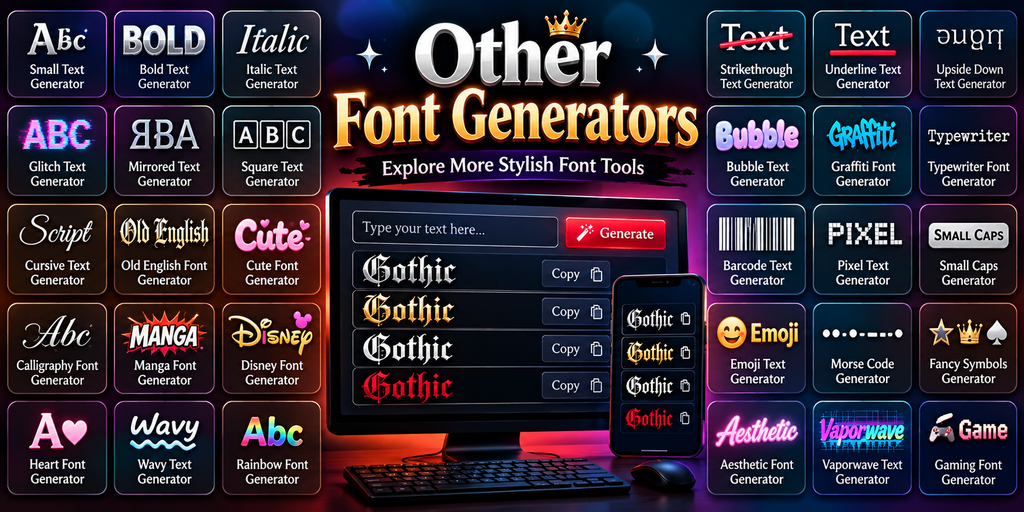
Beyond Gothic fonts, I often compare other generators when a project needs a different typeface family. Tools for decorative typography can produce cleaner, softer, or more expressive lettering without changing the underlying source text.
For branding and social work, exploring alternatives helps match design context, modern interface, or visual atmosphere more precisely. I usually test several Gothic variations beside simpler options, checking readability, character support, and consistent output quality.
Also Read: Big text generator
Is Gothic Text The Same As Fraktur?
Gothic text is broader than Fraktur: Fraktur is one Blackletter typography tradition, while other Gothic forms differ in letter construction, historical appearance, and regional practice. In design work, that distinction matters when choosing a specific style.
I often treat Fraktur as a subtype rather than a synonym. Gothic lettering evolved across the medieval period and printing history, whereas generators may offer Fraktur characters, Unicode-based output, or an installed font with fidelity.
What Are Gothic Fonts Also Called?
Gothic fonts are often grouped with Blackletter characters, though the label covers more than one historical form. In design work, people also recognize Fraktur letters and Gothic letters as related terminology for dense medieval-inspired type.
The names shift with context: the Gothic family, medieval typography, and historical European writing style describe broader categories, while designers usually choose terminology according to appearance, history, and intended audience.
Where Can You Use Gothic Fonts?
Gothic fonts work well in usernames, captions, and comments when ordinary lettering feels flat. I often see them add personality to messages, especially across Discord communities, without requiring image-based design or specialized software online today.
For visual projects, gaming names, tattoos, posters, and fantasy projects offer stronger opportunities. They also suit YouTube branding, digital artwork, decorative design, and creative projects where a distinctive historical look supports the subject naturally.
Are Gothic Fonts Free To Use?
Gothic text is often free to copy, but that does not automatically grant font-file rights. Unicode Gothic text and decorative text usually behave differently from licensed typefaces used commercially across projects or platforms for everyone.
For logo design, tattoo design, or client work, check the generator’s licensing terms before exporting professional artwork. I treat free output as usable only when commercial permissions are explicitly stated by the provider you trust.
Can I Use Gothic Text For A Tattoo Design Or Logo?
Yes, Gothic lettering can work remarkably well for tattoos when the design context suits its bold structure. I often recommend testing tattoo mockups first, because dense strokes can lose clarity at smaller sizes during placement.
For a logo, logo design benefits from controlled Gothic styling, especially when branding needs historical character. Check readability across applications, and adjust spacing so the mark remains distinctive without becoming cluttered on varied surfaces today.
Why Is There No Gothic Version Of The Numbers?
Unicode does not define a separate Gothic set for numbers because its historical letter forms are encoded differently. Mathematical Alphanumeric Symbols offer some styled digits, but they do not reproduce a complete Gothic numeral system.
From practical testing, generators can mimic Gothic numerals through images or styling, while copy-paste depends on Unicode support and character standard rules. This is why letters often transform successfully, whereas numbers remain visually more ordinary.
Will Gothic Unicode Letters Work On Instagram And TikTok?
Yes. Gothic characters usually work on Instagram and TikTok because they are Unicode text rather than installed fonts. Still, platform support varies, so some symbols can change appearance across phones, browsers, or updates without installing.
From my testing, Instagram styles and social-media styles copy cleanly when Gothic characters are supported. For TikTok, usernames may face platform restrictions, while captions, comments, and messages generally preserve decorative text in practice today quite.
Why Do Gothic Characters Show Incorrectly On Some Devices?
Incorrect Gothic characters usually point to unsupported characters rather than a faulty generator. In my testing, missing glyphs often appear when font support differs across systems, while Unicode support determines whether the chosen symbols render.
Browser rendering can introduce display issues when device compatibility or platform compatibility varies. I check text compatibility across browsers before publishing, because character rendering may change between phones, desktops, and services applying their own rules.
How Does Gothic Text Work On Phones And Computers?
On phones, smartphones rely on Unicode support rather than a downloaded typeface. A Gothic generator outputs characters, then character rendering decides their display through text rendering rules on each mobile platform without needing special installation.
On computers, a desktop browser may show the same result differently when font support is limited. In practice, device support, browser compatibility, and readable output explain compatibility issues, especially with unsupported characters across older systems.
Conclusion
A Gothic font generator is useful when visual styling matters, yet the result still needs platform support. I have found that choosing a cleaner style, checking text size, and testing Unicode support prevents avoidable problems.
Beyond decoration, the strongest results balance historical aesthetic with readability and design context. In practice, export output can be refined while fantasy styles and decorative styles suit very different real projects across digital design work.
Is Gothic Text The Same As Fraktur?
No. Gothic text describes a wider family, while Fraktur represents one Blackletter tradition. Their letter construction, historical appearance, and typography differ, so a generator may provide several related Unicode styles for comparison.
What Are Gothic Fonts Also Called?
Gothic fonts are commonly associated with Blackletter, medieval typography, and Gothic letters. Depending on context, designers may mention Fraktur, Old English, or historical European writing, although each term can describe a specific visual tradition.
Where Can You Use Gothic Fonts?
You can use Gothic fonts in usernames, captions, comments, Discord communities, gaming names, tattoos, posters, fantasy projects, YouTube branding, and digital artwork. I recommend checking platform compatibility before publishing decorative text across different devices.
Are Gothic Fonts Free To Use?
Many Gothic text generators offer free copy and paste, but free output does not automatically mean unrestricted commercial permissions. For logo design, tattoo work, or client projects, always review licensing terms before professional production or export.
Can I Use Gothic Text For A Tattoo Design Or Logo?
Yes, Gothic lettering can suit both tattoo design and logo design. For tattoos, test mockups, stroke clarity, spacing, and placement; for branding, prioritize readability so the finished mark stays distinctive without becoming visually cluttered.


[…] Also Read: Gothic Font Generator – Create 1000+ Stylish Blackletter & Old English Texts […]
[…] Also Read: Gothic Font Generator – Create 1000+ Stylish Blackletter & Old English Texts […]
[…] Also Read: Gothic Font Generator – Create 1000+ Stylish Blackletter & Old English Texts […]