


Tip: fancy fonts work in your Snapchat display name, bio and captions. Usernames only allow letters, numbers, hyphens, underscores and periods. Some older phones may show boxes for rare symbols.
A Snapchat Font Generator turns ordinary wording into expressive profile details, helping users shape display names, Snap captions, and story captions with decorative designs that suit their personality without changing what their messages say.
For everyday social media personalization, the tool works as a Unicode text generator, converting regular text into stylish text and copy-and-paste text for friend nicknames or Snapchat biographies, while keeping each message easy to reuse.
Table of Contents
What Is A Snapchat Font Generator?
A Snapchat Font Generator is a text tool that gives Snapchat profiles distinctive lettering through stylish formats. It helps creators shape names and biographies without replacing Snapchat’s built-in interface typography or installing separate font files.
Its purpose is not to alter Snapchat’s app font; it prepares alternate character designs that users can place in profile details, captions, or messages, then judge for clarity across devices before sharing them with friends.
How Does A Snapchat Font Generator Work?
A Snapchat font generator changes ordinary wording into decorative text by matching entered characters with Unicode designs. The online tool applies font styles, then displays generated previews so users can inspect results before choosing one.
Behind the visual effect, the generator substitutes compatible Unicode characters rather than installing a new typeface. After reviewing font previews, users copy the customized text and paste it into Snapchat chat messages or profile fields.
How To Use A Snapchat Font Generator
Start by typing your name or a short message into the input box, then browse the available previews. Compare each design at a glance instead of choosing solely because it looks decorative on screen first.
Once you find a favorite style, use copy text, open Snapchat, tap the profile or caption field, and paste. Check spacing and readability on your device before sharing the result with friends or posting stories.
Also read: Big Text Generator: Make Words POP!
Features Of Snapchat Font Generator
Beyond appearance, the generator offers font generation through an input area where users test text combinations, compare symbols, and inspect decorative characters before choosing a style that suits each Snapchat placement without installing extra software.
Useful tools include copy and paste, a broad font count, and 250+ styles; browser compatibility and operating-system support also help people preview Unicode text across a mobile app or other supported devices with fewer surprises.
Best Snapchat Font Styles And Types
Choose playful fonts for casual snaps, script designs for polished greetings, or bold styles when a short announcement needs emphasis. A good choice supports your message without overpowering the photo or hiding details behind text.
Try cursive fonts for personal notes, bubble fonts for playful names, and small caps when space is limited. Vaporwave styles and other decorative fonts can add character, but check readability first across different mobile devices.
Where Can You Use Snapchat Fonts?
Snapchat fonts fit naturally into Snapchat text fields, especially story captions and Snap captions, where a short phrase can set the mood without competing with the photo or video on public or private snaps alike.
Outside stories, try display names, profile names, and friend nicknames; Unicode styles can also personalize friend emoji notes, making everyday social interactions easier to recognize in busy chats and group conversations across Snapchat daily.
Stand Out From The Snapchat Crowd
A memorable style is not limited to selfies: add thoughtful friend emoji notes, refresh your Snapchat biography, and give Snapchat posts a recognizable visual signature without making every update look identical or difficult to read.
Carry the same approach into photo captions and cross-platform text on YouTube or Tumblr, but adjust spacing and symbols for each audience; a style should feel recognizable, not copied everywhere, without sacrificing quick everyday readability.
Personalize Your Snapchat Stories
Personalize your Snapchat Stories with artistic formats that suit the moment, rather than applying one look everywhere. Use photo captions to add emphasis, adjust text customization to match the mood and keep snaps recognizably yours.
Try social media content techniques sparingly: pair visual appeal with readable lettering, and reserve unique text formats for announcements, memories, or themed updates. A consistent style helps viewers recognize your stories without overwhelming the photo.
Where Snapchat Fonts Work
Snapchat fonts can personalize social media profiles, profile names, and display names; the same Unicode text may also appear on other social platforms such as Facebook, TikTok, and Instagram, depending on character support and rendering.
Within Snapchat, stories and snaps can carry story captions that match the moment, while friend nicknames add personality to chats; preview each style first because unusual characters may display differently across devices and app versions.
Best Font Styles For Snapchat
Choose script fonts for expressive captions, bold sans fonts for quick emphasis, or monospace fonts when a clean, technical look suits your snap. The strongest style supports the message without overwhelming it. On smaller screens.
Try bubble fonts or squared text for playful selfies, italic fonts for softer notes, and glitch text for gaming updates. Preview each option before copying; intricate characters may render differently across phones and app versions.
Snap Streak Personalization
A Snap streak feels more personal when its daily replies carry a consistent look. Use distinctive text styles or decorative lettering sparingly, keeping names and brief messages clear for friends during fast daily exchanges online.
A matching profile personalization touch can distinguish a streak thread, but readability matters more than decoration. Try custom text styles for story captions or milestone notes, then keep that look consistent across chats with friends.
Compatibility On Snapchat
Compatibility depends on how Snapchat handles Unicode characters, not on the name of a font. In modern browsers, designs copy cleanly, but Snapchat text fields may display decorative symbols differently across devices and app versions.
For consistent results, test special characters before sharing, then paste text into a draft and inspect it inside the Snapchat application. Browser compatibility and the installed app’s application version can affect appearance; keep names readable.
Tips For Snapchat Text
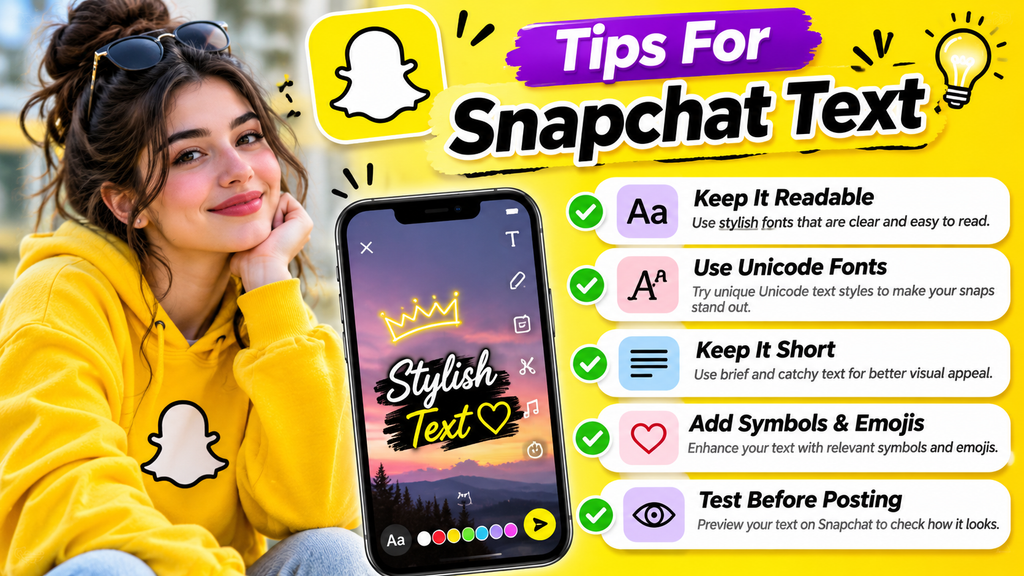
Keep Snapchat text readable before making it decorative; enter a short message, compare several font variations, and check the text preview at phone size. Clear wording matters more than elaborate lettering in everyday chats and stories.
Use Unicode symbols sparingly, and check device compatibility before sharing. Keep important messages straightforward so decorative choices support meaning instead of making your snaps harder to read for friends on phones with different screen sizes.
Also Read: Gothic Font Generator – Create 1000+ Stylish Blackletter & Old English Texts
How To Generate Fancy Snapchat Fonts?
Decide where the result will appear: display names, captions, or profile details. A browser-based tool converts regular text into Unicode text styles, letting you compare looks without installing an application on your phone or computer.
Type your message in the input box, select a font category, compare generated font styles, and tap the copy button. Paste your choice into Snapchat, then inspect it in a draft before posting to friends.
Key Features Of Snapchat Font Creator
A practical creator pairs instant text generation with a clear input area, letting users test names before choosing fancy fonts. Simple font selection makes text editing quick, while varied text styles encourage experimentation without hassle.
Useful extras include copy and paste, support for varied characters, and 10 categories for browsing. A progressive web app keeps the online utility accessible across devices, making quick styling easy for new users every day.
Popular Snapchat Text Examples
Popular Snapchat text examples often start with snap captions that match a moment: “Weekend mode,” “Little wins,” or “Golden hour.” Add fancy text sparingly, keeping each message clear and easy to recognize in everyday conversations.
For stories, try creative text designs such as a short name, a playful greeting, or attention-grabbing text for an announcement. Use visually appealing snaps to complement the words, not compete with them on busy feeds.
Best Snapchat Font Generator Website
An effective website should make experimentation effortless, not overwhelm visitors with endless menus. Choose a font generator with clear font categories, a responsive easy-to-use interface, and varied text designs for practical Snapchat use on phones.
Before relying on a site, test random font styles in profile names and chats, then compare favorite font options for readability. Check display compatibility across phones; decoration means little when characters fail consistently for recipients.
Best Snapchat Font Squiggle
Squiggle Fonts give Snapchat names and captions a loose, flowing character. Their uneven strokes add movement to aesthetic text, helping short phrases feel expressive without overwhelming the message or making everyday updates difficult to read.
Pair wavy joiners with subtle swirls or scribbles, then test the result on your phone. Use fewer decorative marks around names; crowded characters may affect clarity across different screens and distract from the message itself.
Cool Snapchat Font For Typing
Cool Snapchat typing works best when the style suits the moment: choose rounded letters for friendly chats, script styles for softer moods, or decorative Unicode text to make quick messages feel recognizably yours on Snapchat.
Before posting, test each option in the actual chat or caption field. Prioritize readability, compare matching text styles, and keep short captions uncluttered so friends can understand your message without effort across different phone screens.
Different Snapchat Font Styles
Different font styles can change Snapchat captions’ mood without changing their meaning. Try script fonts, bubble fonts, bold text, or mirror fonts to give short messages a distinct visual personality online before you send them.
Wide text, italic colored text, and underlined text suit different layouts, but preview each choice on mobile devices first. Some decorative characters may display differently when Unicode rendering or character support varies between app versions.
Stylish Snapchat Font
A stylish Snapchat font gives a profile or caption a distinct voice, but the best choice still feels readable. Try letter variations and decorative typography to add personality without crowding; clarity matters on every screen.
For a more expressive look, mix special symbols with Greek fonts or Asian-inspired styles sparingly. Preview each result in a chat and story before posting, since some characters display differently across devices and app versions.
Crazy Snapchat Font
A crazy Snapchat font does not need distortion; combine decorative frames with symbol combinations to create stylish text. Test each result in a profile preview before sharing it with friends across different devices and apps.
For a bolder look, try thick block frames, diametric angle frames, and dotty joiners sparingly; add text embellishments or Kirby Hug designs only when they stay readable in chats and captions on smaller phone screens.
Love Snapchat Font
Love-themed Snapchat text can make a profile feel warmer without changing its message. Try heart-between fonts, love text, or emoji decorations for affectionate captions, couple names, and friendly snaps shared daily with someone special, too.
Before copying, compare fancy lettering, bubble text, and calligraphy fonts in the preview; choose readable Unicode lettering that suits your story theme, then paste it into Snapchat and check how friends see it on mobile.
Best Snapchat Font Designs For Wedding
Wedding snaps feel more personal when names, dates, and short wishes use decorative lettering rather than crowded effects. Add romantic symbols or hearts between letters to highlight a couple’s initials without hiding the photograph itself.
For invitation previews or reception memories, pair love text with underline styles and subtle top stars. A restrained layout keeps names readable, while one decorative accent complements photographs on different phones without overwhelming meaningful details.
Random Snapchat Font
Start with text input rather than a preset: a random Snapchat font feels more intentional when a short phrase is tested first, then matched with symbols or decorative lettering for contrast without crowding the caption.
Try a fresh style selection, review the generated text on your device, and check how Unicode encoding handles each character; copy generated text only when the result stays readable in chats and profile previews too.
Conclusion
A good Snapchat font generator is not simply about decoration; it gives profile names, Snap captions, and Snapchat Stories a personal voice while keeping text easy to copy and paste across daily chats and stories.
Choose a style for readability first, then test it on your device; some Unicode text styles may display differently, so simple lettering often works best for friends, captions, and reliable font rendering on different phones.
What Is A Snapchat Font Generator?
A Snapchat Font Generator is a free online tool that transforms ordinary text into stylish Unicode designs. You can use these fonts for Snapchat captions, display names, stories, and chat messages.
How Do I Use A Snapchat Font Generator?
Enter your desired text into the generator, explore the available font styles, and select your favorite design. Click the copy button and paste your generated text into Snapchat.
Is Snapchat Font Generator Free To Use?
Yes, a Snapchat Font Generator is generally free to use. You can create, preview, and copy different fancy text styles without paying subscription fees or installing additional software.
Can I Use Generated Fonts On Snapchat Stories And Chats?
Yes, you can paste compatible Unicode text into Snapchat Stories, captions, and chat messages. Some decorative characters may appear differently depending on your device, operating system, or Snapchat version.
Why Are Some Snapchat Fonts Not Displaying Correctly?
Some Unicode characters are not supported by every device or application. Updating Snapchat, using a compatible font style, and choosing simpler decorative characters can help improve text readability and display.

