


⚔️ Medieval Text Generator
Convert standard text into Old English, Fraktur Gothic, Royal Emblem scripts, and Medieval styles.
An online tool can turn a name into medieval-inspired text, offer style preview, and add decorative borders or parchment textures; the result may be copyable text or a graphic for storytelling, branding, and game projects.
Rather than judging a style by ornament alone, consider character encoding, font installation, and device support; elaborate illuminated effects may suit a poster, while simple text works better for usernames, captions, and other compact profiles.
Table of Contents
What Is A Medieval Text Generator?
A medieval text generator transforms writing into Gothic lettering or Blackletter style, giving names and phrases a historical appearance. It converts characters into Unicode text, letting people copy results without installing fonts on their devices.
Unlike a downloadable typeface, it usually offers text styling rather than a font file; selected Fraktur or Old English looks can suit profiles, gaming names, themed graphics, and fantasy projects, provided online readability remains important.
How To Use A Medieval Text Generator
Start with your wording, then choose style options suited to your purpose; test medieval lettering in a browser tool, inspect the preview result, and revise until shapes remain clear at the intended size before copying.
First, enter text carefully, compare the font preview with your theme, then copy text or download artwork when available; test the result in its final app because decorative glyphs can display differently across target platforms.
Medieval Font Styles And Types
Choosing Old English lettering over Fraktur style changes the mood, but neither automatically defines a whole era. Blackletter often feels formal; Gothic Bold adds weight, while ornate details can reduce quick reading on small screens.
For logos, role-playing characters, or themed invitations, compare lettering variants, stroke contrast, and visual weight before choosing. Historical typefaces offer reference, yet readability and intended placement should always guide each selection in actual use and testing.
Best Uses Of Medieval Text Generators
A medieval text generator is useful beyond gaming usernames: it can add a coherent period mood to event graphics, visual branding, and fantasy storytelling. I favor restrained ornament when readability matters more than historical drama.
For practical projects, fantasy maps, themed merchandise, and guild identity benefit from a deliberate style choice; test output in its final setting first, because decorative characters may display differently across devices and applications today.
Also Read: HTML Text Generator: Create, Customize & Copy HTML Text Online for Free
Medieval Text Copy And Paste
Choose a style, type your phrase, then copy and paste the result into chats, captions, or social media profiles. Unicode characters travel as text, but their appearance depends on support across different apps and devices.
Before posting, check platform compatibility, font rendering, and display testing on your target service. Missing glyphs may turn special characters into blank boxes, so keep a plain-text backup of important medieval text when posting online.
Medieval Font Compatibility Across Devices And Platforms
Across phones, tablets, and desktops, text compatibility depends less on the medieval appearance than on whether each app can display the underlying characters; test usernames, captions, and profile text before publication on each platform first.
Missing glyphs can appear as empty boxes when an app or device lacks font support; check platform restrictions before sharing across messaging platforms or gaming platforms, especially when elaborate letters matter for identification and readability.
Features And Benefits Of Medieval Font Generators
Medieval generators offer visual customization, letting designers test decorative typography, compare design variations, and inspect lettering samples before choosing. A quick preview helps refine headings, names, invitations, and fantasy-themed digital projects without manual design work.
The benefit is adaptable output: copyable characters suit profiles, while a transparent PNG supports graphics when available. Check character support, licensing terms, and device compatibility before publishing, since glyphs can vary across apps and devices.
History & Origin Of Medieval Gothic Font
Long before digital generators, Gothic scripts developed across medieval Europe as historical lettering shaped by scribes copying religious texts. Their dense strokes reflected practical manuscript work as much as the period’s visual identity and materials.
When movable type emerged, printers adapted familiar manuscript tradition into reusable letters; the Gutenberg Bible preserved a Gothic appearance, linking early printing history with the handwritten forms readers already recognized from earlier manuscripts of Europe.
Medieval Gothic Font — Character Reference Table
Use this character reference table to inspect each letter’s letter shape, stroke contrast, and spacing before choosing a suitable typeface. Similar-looking glyphs may differ across typefaces, especially at small sizes on screens and devices today.
Check glyph support and character rendering by copying sample capitals, lowercase letters, numerals, and punctuation into the intended app. Compare the result with the reference before using decorative text in usernames, headings, or finished artwork.
Similar Medieval Gothic Fonts — Compare Styles
Compare Blackletter TypeFace with Fraktur Lettering before choosing a medieval look: their stylistic distinctions affect rhythm, density, and readability. Celtic Style feels intertwined, while runic lettering creates a sharper, symbolic impression on online profile names.
For branding or artwork, medieval sword style emphasizes dense strokes, whereas royal lettering signals theatrical medieval drama. heraldic style and ornate lettering suit crests; compare actual samples at intended sizes, not just enlarged views alone.
Choosing The Right Medieval Gothic Variant
Start with the intended mood, not the name: Royal Gothic gives formal, regal emphasis, while Old English Gothic feels heavier and more historic. A practical font comparison should test legibility at the final display size.
Compare decorative density and stylistic differences against your message: dense strokes suit short titles, whereas simpler forms survive small screens. Strong medieval aesthetics help branding, but typography selection should always prioritize readable letters over ornament.
Medieval Gothic Font In Modern Creative Culture
Today, indie game development often borrows this visual language for menus, emblems, and quest titles; the look signals age and atmosphere, while surrounding interface choices keep information readable during play on small mobile screens too.
Artists mix digital art with world-building and visual storytelling, using fantasy cartography or manuscript aesthetics to give fictional kingdoms a coherent visual identity without making every design look like a museum replica from another century.
Medieval Gothic Font Across Creative Disciplines
Distinctive design shapes digital identity and creative expression, while online communities use lettering to distinguish shared worlds. In tabletop RPGs and fantasy games, deliberate world-building strengthens gaming culture through recognizable visual traditions and symbols online.
Historical reenactment and themed events borrow medieval lettering for atmosphere, while character creation and immersive storytelling give fantasy settings a coherent visual voice within modern creative culture across posters, invitations, costumes, and digital design projects.
Medieval Gallery
Medieval galleries work best when they invite comparison: decorative initials, a preview gallery of examples, and lettering options help visitors judge how ornate details affect a name or title before copying or exporting designs online.
A thoughtful medieval design collection can pair fantasy typography with event design samples, yet practical testing matters more than ornament: check readability on a mobile-friendly design and review the final display at realistic sizes first.
The Story Behind Medieval
Medieval lettering grew from practical work in the scriptorium, where monastic scribes preserved religious books through copying texts by hand. Their quills, ink, and parchment made each page a lasting record of learning and devotion.
Long before the printing press and movable type, handwritten books carried knowledge across medieval monasteries. Illuminated manuscripts combined calligraphy with manuscript decoration, revealing how medieval literacy depended on patient craft, shared belief, and cultural memory.
How Can I Create Medieval Text Online?
Start with a short phrase, then open a browser-based tool and enter text in its input field. Choose a style, preview the selected lettering, and compare variations before deciding which medieval look suits your purpose.
For social graphics, create rendered artwork when Unicode output is insufficient; otherwise, copy text and test the final destination on phones and computers. Check symbols carefully across several devices, because platform support can change appearance.
Can I Copy And Paste Medieval Text Into Other Apps?
Yes, you can usually copy and paste medieval lettering into chats, online bios, captions, and other apps. Because generators often produce Unicode characters, the result travels as copied lettering, rather than an installed font file.
Before sharing, check each paste destination for character limits and unusual symbols; some apps replace unsupported glyphs with boxes or question marks. Test the profile text on your phone and computer first before posting anywhere.
Can I Use Medieval Fonts For Gaming Usernames?
Yes, gaming usernames can use medieval styling to give a player identity a distinct, old-world edge. Try Blackletter or Gothic lettering, but keep names readable in fast-moving matches, team lists, and profile pages across platforms.
Before choosing one, test the result on mobile devices and desktop, because special symbols may become boxes or disappear. Prefer short names, check username limits, and retain a plain-text backup for teammates to recognize easily.
What Can I Use Medieval Text For?
Use medieval text for role-playing games, fantasy RPGs, fantasy maps, book covers, medieval events, and historical projects; these settings benefit from a deliberate old-world mood. A strong result helps establish atmosphere before readers notice decoration.
Use them in online profiles, social media bios, and Discord servers; create nicknames, character names, clan names, guild names, badges, merchandise concepts, or short phrases for creative writing and visual design across different fan communities.
Are Medieval Font Generators Producing Real Font Files?
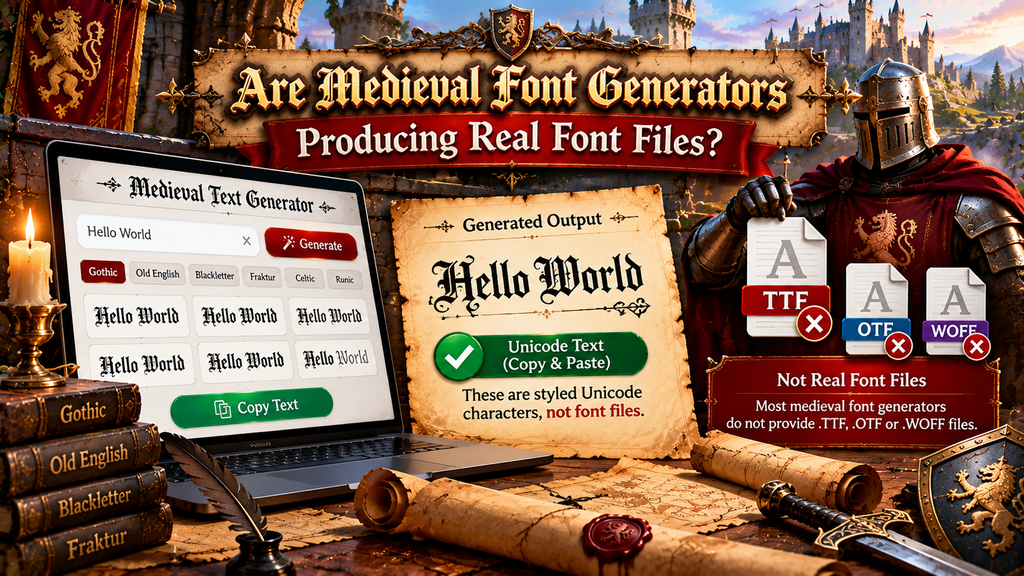
Most medieval text generators return styled Unicode text or an image, not an installable typeface. Inspect the text output, Unicode generator behavior, and listed file format before expecting font files for installation on your computer.
Look for download options and a .TTF or .OTF file; downloadable image exports and text copying are different outputs. Visual styling alone does not prove a font file exists for use in professional design applications.
Also Read: Underline Text Generator
What Is The Difference Between Medieval, Gothic, Blackletter, And Fraktur?
Medieval describes a broad historical aesthetic, while Gothic lettering emphasizes dramatic, pointed forms. The Blackletter alphabet includes dense, angular scripts; Fraktur is one specific Blackletter tradition, not a synonym for every medieval design style today.
In practical use, Old English usually signals a display style, whereas authentic historical lettering depends on period and region. Compare stroke structure, readability, and context before choosing decorative lettering for names, posters, or game profiles.
Can A Medieval Text Generator Create Images With Transparent Backgrounds?
Some generators produce only styled text, while others offer image generation and image download options. A transparent background usually requires a transparent PNG export, not simply a medieval-looking preview on screen. Check the export settings before saving designs.
For logos, covers, or overlays, inspect the downloaded file: transparency should reveal a checkerboard, while a solid background may indicate a flattened image or a format limitation; verify the export for reliable reuse elsewhere online.
Are Medieval Font Generators Free To Use?
Many medieval font generators provide browser-based access and no installation, letting visitors test multiple styles before paying. Free tools often cover basic text conversion, while premium options may unlock advanced design features and custom exports.
Before using a result commercially, check the site’s license: free image output does not automatically mean font files or design files are unrestricted. Look for usage terms, attribution rules, and paid-plan limits for business use.
Conclusion
A medieval font works best when its Gothic text supports the design instead of overwhelming it. For usernames, invitations, or artwork, check visual clarity, character support, and design purpose before sharing across intended platforms carefully.
Treat decorative lettering as a visual choice, not proof of a downloadable font file. Preview special characters on different devices, preserve ordinary text where accessibility matters, and confirm licensing before commercial use in final artwork.
What Is A Medieval Text Generator?
A medieval text generator transforms regular writing into decorative lettering inspired by Gothic, Blackletter, or Old English styles. You can copy the result for usernames, social profiles, invitations, gaming names, and creative designs for online projects.
Are Medieval Text Generators Free To Use?
Many online generators are free for basic text conversion, allowing you to create and copy stylized letters without installing software. Some services may charge for advanced designs, image downloads, premium features, or commercial licensing options.
Can I Copy And Paste Medieval Text Into Other Apps?
Usually, yes. Most generators produce Unicode characters that can be copied into compatible games, messaging apps, and social platforms. However, some applications may replace unsupported characters with blank boxes or question marks on some devices.
Do Medieval Text Generators Create Real Font Files?
Not always. Many tools convert text into Unicode-style characters rather than creating installable font files. If you need a font for design software, check whether the service offers downloadable TTF or OTF font files.
Can I Use Medieval Text For Gaming Usernames?
Yes, medieval-style names can give gaming profiles a distinctive fantasy look. Before saving one, review the game’s username rules and test the characters, because unsupported symbols may display incorrectly or prevent submission on your device.


