
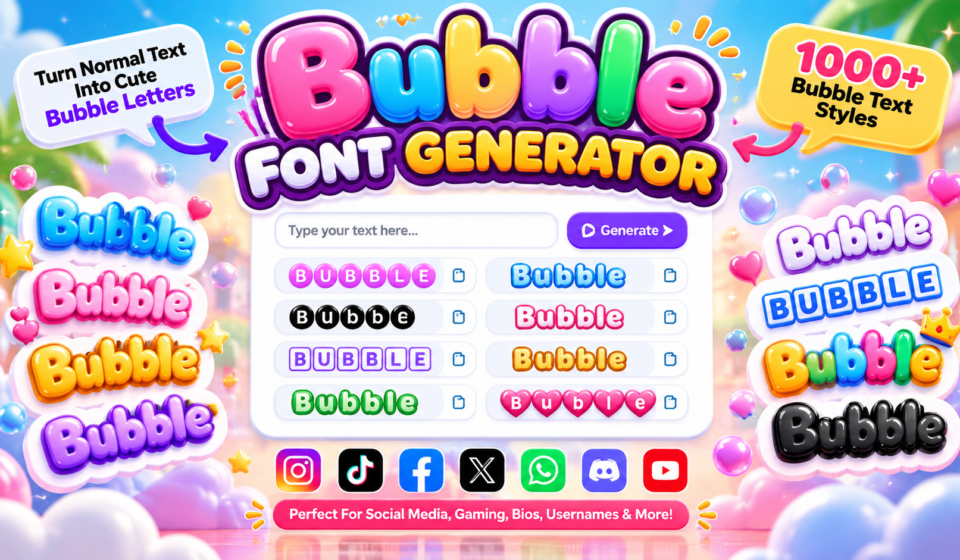

Bubble Font Generator
Type your text below to instantly convert it into cute bubble & boxed letters ✨
A bubble font generator turns ordinary text into playful lettering by converting characters into Unicode forms with a rounded visual identity. In my testing, the strongest results balance design, readability, and quick copy and paste.
Rather than downloaded typography, these decorative characters become generated text for bios, captions, usernames, and decorative text. A capable online generator keeps conversion instant, making bubble styling practical across supported apps, profiles, and social media.
Table of Contents
What Is A Bubble Font Generator?
A bubble font generator transforms typing into bubble text through Unicode characters such as circled letters, squared letters, and enclosed alphanumerics. Users receive a result in their browser, making lettering practical for communication and identity.
My test is clear: an online tool accepts text input, performs instant generation, and offers one-click copy. Bubble alphabets become usable in usernames, captions, messages, and social media, provided supported platforms render Unicode characters correctly.
What Is Bubble Text?
Bubble text uses bubble characters and decorative characters to reshape writing into rounded text. Bubble letters, a bubble font, and playful lettering produce a balloon-like appearance, while visual typefaces and enclosed characters keep style recognizable.
In practice, text conversion through bubble style can decorate letters, digits, and symbols without installing software. The decorative text works as a free tool for quick experimentation, especially when users need expressive, copyable formatting online.
Also Read: Gaming Font Generator
How Does The Bubble Text Generator Work?
From my experience testing these tools, text conversion begins with normal text, then maps each letter to Unicode bubble characters. The generated result appears instantly, preserving familiar wording while changing its visual character quite naturally.
Users simply copy the Unicode output and paste it into a supported application; no installation is normally required. This character conversion creates a chosen bubble style, producing digital text with decorative characters for compatible platforms.
Bubble Unicode Styles And Types
Bubble Unicode styles range from classic circles and outlined circles to dark filled bubbles, giving text distinct visual weight. In practice, I compare uppercase, lowercase, and squared bubbles before choosing characters for profiles or usernames.
Other useful options include parenthesis-style bubbles, enclosed characters, bubble alphabets, and decorative styles. These Unicode characters work differently from installed fonts, so testing each set across platforms helps maintain consistent appearance for everyday online use.
Unicode Bubble Styles
Unicode bubble styles turn ordinary letters into distinct symbols without requiring a downloadable font. I commonly use filled circles, outlined circles, squared bubbles, and filled squares when testing profiles, usernames, or decorative labels across platforms.
Outlined squares create a cleaner appearance, while lowercase letters and uppercase letters can expose Unicode alphabets. In practice, I compare character sets before choosing decorative characters, when round characters must remain readable beside square characters.
Four Bubble Alphabets
A practical way to compare bubble letters is to test four alphabet treatments: filled-circle alphabet, outlined circled alphabet, squared sets, and lowercase forms, then judge readability, spacing, and platform rendering across phones and social apps.
From my testing, each decorative alphabet behaves differently when characters are copied between apps. Uppercase designs usually feel stronger, while individual characters, single-letter generation, and character selection help build names, initials, headings, and profile text.
Bubble Text Styles — Fancy Text Pro
Fancy Text Pro treats bubble styling as a practical character system, not merely decoration. I usually test multiple styles, especially filled styles, outlined styles, and Unicode variations, before choosing text for branding or social profiles.
What stands out is how generated variations can change visual weight without requiring font downloads. For publishing, I prefer copy and paste, then check rendering on different devices because symbol support can alter the appearance.
Bubble Text Examples
Bubble examples become easier to judge when you compare light bubble font, square bubble text, and dark square bubble text across names, captions, bios, and comments before choosing a final bubble font for online posting.
From my testing, dotted square bubble text suits short usernames, while rounded letters, square letters, dark bubbles, light bubbles, and dotted bubbles create distinct bubble styles; Unicode and decorative text also help examples remain practical.
Bubble Letters A To Z
Bubble lettering becomes more useful when you treat the A to Z sequence as an alphabet, not merely decoration. Each letter styles choice can change emphasis, spacing, personality, and readability across captions, usernames, and profiles.
A practical character generator becomes valuable when testing unusual combinations, because some rounded symbols appear differently across platforms. I compare every letter styles option before publishing, especially for short names where spacing and symmetry matter.
How To Use The Bubble Font Generator
Start by entering normal text, then choose a preferred style and review the generated styles. The tool provides instant conversion, so you can compare bubble styles before using the copy button for placement where needed.
After the first preview, check the selected variation, confirm the destination, and inspect each character before pasting. In my testing, this pause helps preserve spacing, prevent substitutions, and keep styled output consistent across uses cleanly.
Copy And Paste Bubble Text
Bubble styling works best when selection feels deliberate rather than automatic. After creating a generated variation, I compare its bubble characters for spacing, readability, and shape before using them for online use, especially where clarity matters.
Once the final style is chosen, copy control and text block handling make reuse simple. A tap-to-copy action sends the result to the clipboard, while copying preserves the prepared result and avoids manual retyping errors.
Bubble Fonts For Social Media
Bubble fonts give Instagram bios, TikTok captions, and Facebook posts a playful identity, while stories and comments gain emphasis without images. I often use Unicode bubble characters when quick visual styling matters for online publishing.
On Discord, Twitter, X, and WhatsApp, bubble styling works best when the surrounding message stays readable. I recommend testing each variation before posting because device support, platforms, and rendering can subtly change the visual result.
Bubble Font Styles And Google Fonts
Google Fonts make bubble typography easier to compare before choosing a style. Bubblegum Sans, Fredoka One, Boogaloo, and Baloo 2 offer playful rounded shapes, while font previews reveal visual differences instantly for practical design decisions.
In my projects, I usually test bubbly typefaces alongside downloadable fonts, checking TTF availability and typography details before final font selection. This approach keeps browser previews useful while separating web styling from installed font workflows.
Features And Benefits Of A Bubble Font Generator
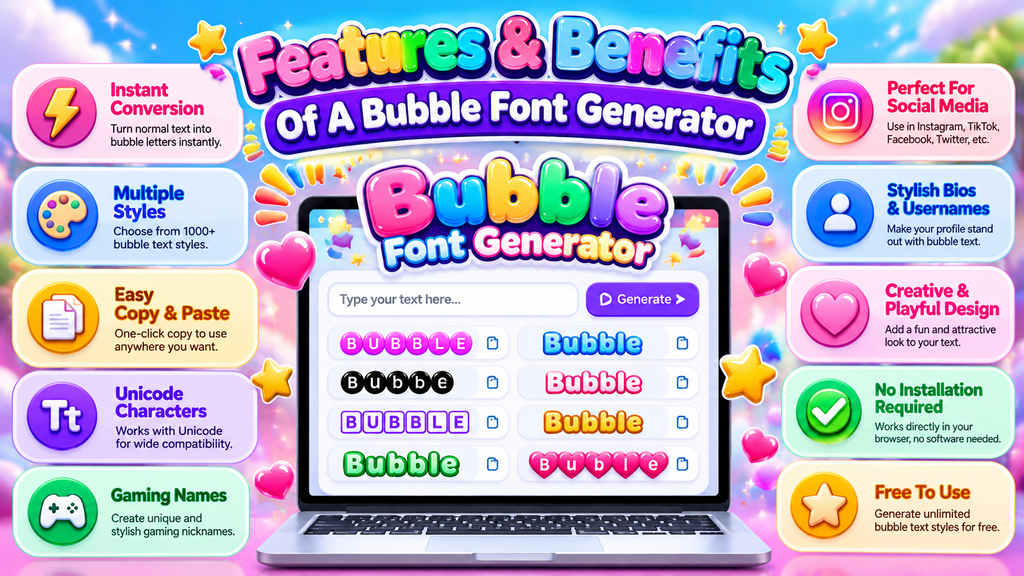
An effective bubble generator delivers real-time conversion and quick results, but the bigger advantage is experimentation. I often compare square styles, light styles, and dotted styles before choosing a clean visual direction for each profile.
Because many outputs use Unicode characters, text can be copied across supported platforms without installing font files. The practical benefits include unlimited use, stronger readability, flexible text creation, and easier testing of multiple styles quickly.
Also Read: Discord Fonts: Rule Every Server
Common Bubble Text Mistakes And Limitations
Common bubble text mistakes usually appear when long bubble text meets mobile screens, causing line wrapping and unexpected display problems. I also check character limitations before publishing, because decorative text can behave differently across platforms.
Another overlooked issue involves capital letters, Unicode characters, and character restrictions. A generator may offer a complete bubble alphabet, yet capitalization differences can create visible text limitations, especially when users expect identical styling everywhere reliably.
Bubble Font Downloads
Downloading bubble lettering is useful when a project needs consistent font installation rather than copy-pasted characters. I usually recommend checking whether downloadable typefaces match the intended software before importing them into branding, posters, or workflows.
For creators who prefer ready-made assets, bubble font files can provide editable lettering across compatible applications. However, visual fonts vary in licensing and format, so verify permissions and software support before using downloaded files commercially.
Download Bubble Font Files
Downloading bubble fonts is useful when you need more control than generated text provides. I usually recommend saving TTF files only when a project requires consistent typography across design software, branding workflows, or offline editing.
Before using visual fonts, check font installation requirements and whether the downloadable styles match your software. Installed files work differently from Unicode bubble text, so testing spacing, symbols, licensing, and rendering prevents unpleasant surprises later.
Bubble Text Privacy And Browser Processing
Privacy matters when character conversion happens inside the browser. A browser-based generator can use local processing, keeping bubble characters from leaving your device while reducing unnecessary data transmission when entered text is transformed for conversion.
When I test tools, I check whether entered text remains inside the browser during conversion. In practice, local processing limits exposure, while wording helps users understand whether data transmission or storage occurs beyond the session.
Bubble Text Privacy And Browser Processing
In a well-built generator, browser processing can keep entered text within the page while text conversion happens instantly. This approach supports privacy because data from each text input need not leave the browser at all.
From a practical implementation perspective, local processing is especially useful when an online generator performs character conversion directly in the client. Clear security language reassures users that their conversion involves no external transmission, reducing unnecessary concerns for trust.
Bubble Text Accessibility And Screen Readers
Bubble text can look clear to sighted users, yet screen readers may handle circled letters differently. Character interpretation determines whether bubble characters become readable text, confusing symbols, or pauses during text reading for accessibility properly.
Good practice is to test decorative output with assistive technology because filled bubble sets and emoji can trigger unexpected announcements. I regularly prefer simpler characters when compatibility matters, especially on shared platforms used widely online.
Bubble Style 3D Text And Logo Design
For polished branding, bubble style works best when 3D text supports rather than overwhelms the mark. I often test graphic design balance first, then refine logo proportions, visual design, and decorative typography together for clarity.
A convincing 3D logo usually needs controlled text effect, not excessive decoration. I prefer shaping bubble-shaped text, adding restrained beveling, lighting, and shadows, then checking whether the final branding still reads clearly at small sizes.
Bubble Style 3D Text
Bubble 3D text gains depth when bubble style curves meet visual text, precise spacing, rotation, and refined text shape. In practice, I adjust filling and lighting carefully, keeping rounded forms readable at every size consistently.
For graphic design, a 3D logo gains character through text effects, beveling, shadows, gradients, and outlines; 3D projections, backgrounds, animation, and export choices then preserve quality across image formats for professional digital branding projects.
3D Text Editing Features
Good 3D editing starts with shape rather than effects. I usually test outline, filled style, and bold appearance first, then adjust character width and horizontal space so bubble forms stay readable on mobile screens carefully.
For polished results, compare visual differences across quality options, then use transparent background for flexible placement. Logo creation also benefits from controlled font styles, especially when decorative text needs depth without losing clear character recognition.
How Do I Use A Bubble Font Generator?
Start by enter text into the generator, then review styles rather than choosing the first option. I usually compare generated styles visually, because spacing, character density, and platform appearance can change the final result noticeably.
Next, select style and use the copy button once the preferred variation looks balanced. Copy text and paste text into your profile, caption, game name, or chat, checking that all bubble characters render correctly everywhere.
Is The Bubble Font Generator Free?
Most bubble font generators are free because they convert ordinary text online, offering decorative characters, quick results, no account, and no subscription. I use these tools for experiments, profiles, captions, and names when testing styles.
Free access still varies by provider, yet a generator may require no account and no subscription. After creating a style, you can copy and paste the result; this makes the accessible tool useful for sharing.
What Are Bubble Alphabet Fonts?
Bubble alphabet fonts turn ordinary letters into rounded, enclosed characters that feel playful without requiring a separate installed typeface. They commonly use circled outline letters, filled circled letters, squared outline letters, or filled squared letters.
From a practical design perspective, I treat a bubble alphabet as a set of individual letters rather than one conventional font file; each character can be selected, copied, and combined into names, headings, or usernames.
Can I Use Bubble Letters On Instagram?
Yes, you can use Instagram bubble lettering in bios, captions, stories, and comments, provided the chosen Unicode characters render correctly. I often recommend testing styles first because some decorative text characters behave differently across devices.
For branded profile text, attention-grabbing text can help separate a username or post, while TikTok, Discord, Twitter, X, WhatsApp, and Facebook may display Unicode bubble characters differently depending on app support, updates, and device rendering.
Conclusion
In practice, bubble text is strongest when its playful appearance stays readable across platforms. I test rounded letterforms, mobile compatibility, and character width before using the online generator for names, captions, profiles, or gaming identities.
From experience, decorative text succeeds when presentation serves the message. Accessibility, screen readers, logo design, gradients, and animation should support clarity, while filled circles, symbol interpretation, and text interpretation help maintain consistent results across applications.
Can I Use Bubble Letters On Instagram?
Yes. Bubble letters can be used in Instagram bios, captions, comments, usernames, and posts when Instagram supports the selected Unicode characters. Some characters may display differently across devices or become unsupported symbols.
What Is A Bubble Font Generator?
A Bubble Font Generator converts regular text into rounded, playful, and decorative bubble-style characters. You can create unique text designs for social media profiles, gaming names, captions, messages, logos, and other creative projects.
Can I Copy And Paste Bubble Letters?
Yes. Bubble letters generated online can usually be copied and pasted directly into supported websites, social media platforms, messaging apps, usernames, and profiles without installing additional font software.
Do Bubble Letters Work On iPhone And Android?
Most bubble-style Unicode characters work on modern iPhone and Android devices. However, appearance can vary depending on the operating system, application, available character support, and how individual symbols are rendered.
Is The Bubble Font Generator Free?
Many bubble font generators are completely free to use. Typically, you can enter your text, choose a preferred style, generate decorative characters, and copy the result without creating an account or downloading software.


[…] Also Read: Bubble Font Generator […]
[…] Also Read: Bubble Font Generator […]