


Celtic Font Generator
Convert plain text into Gaelic Uncial, Runic, Ogham, Gothic & Knotwork decorated styles
A Celtic font generator evokes historical Irish traditions through ornamental lettering, angular details, and decorated initials. Rather than imitate medieval manuscripts uncritically, compare styles and assess readability before using them in digital designs with care.
For fantasy worlds, themed graphics, or decorative profile names, test a live preview and choose between copyable Unicode styles and image export. The option depends on platform support, consistency, and whether lettering must remain editable.
Table of Contents
What Are Celtic Fonts?
Celtic fonts are modern typefaces or lettering styles inspired by historical Irish manuscript traditions and medieval manuscript traditions. They use ornate strokes, pointed terminals, knotwork-inspired details, or embellished capitals rather than one single traditional font.
A Celtic font generator helps test decorative styles and runic styles, compare live previews, and create text graphics quickly. Results may use Unicode characters or images, so appearance can vary on different devices and applications.
Why Use A Celtic Font Generator?
A Celtic font generator is useful when a design needs character without guesswork. Compare decorative variations, review image previews, and refine your selected style before using the lettering in a finished layout for a project.
A font generator speeds up creative projects by making stylistic choices easier to compare, from heritage-inspired invitations to gaming identities. Test Celtic typography at realistic sizes; the strongest result stays legible and suits its purpose.
How To Use A Celtic Font Generator
Open the browser-based generator, then enter text such as a name, motto, or invitation line. Explore themed presets and compare each visual style before adjusting text size for clear, balanced lettering in your current layout.
Use spacing adjustments and glow effects sparingly, then preview the result on different screen sizes. Choose image downloads for fixed artwork, or copy text when a site supports compatible characters across your usual online platforms.
Also Read: Cute Font Generator: Create Adorable Fonts to Copy & Paste for Free
Celtic Font Styls, Customization And Export Options
Choose decorative lettering by matching its mood, audience, and intended use. Use stylized fonts for headlines and emphasis, while simple lettering keeps longer descriptions readable across varied creative layouts and display sizes, including print projects.
Customize visual effects and backgrounds, then use image editing to refine results. For sharing, saving images works well; editable typography may require downloadable font files such as TTF or OTF for print projects and posters.
Where To Use Celtic Fonts
Use Celtic lettering on social media profiles, gaming platforms, and messaging applications when a username or short announcement needs an old-world character; check each service’s display support before sharing unusual decorative text with friends online.
For polished projects, place Celtic styles in digital documents, artwork, invitations, fantasy designs, and logos; choose an appropriate output format and verify application compatibility before printing, embedding, or publishing across the intended platforms and devices.
Unicode Text Versus Actual Font Files
Copyable Unicode text can imitate Celtic lettering without adding a font file, but its appearance depends on the application, operating system, and available glyphs; unsupported combinations may replace decorative forms or display plain characters instead.
Unlike special Unicode characters, actual fonts give software consistent outlines and richer letter coverage; designers can embed generated graphics when sharing artwork, preserving a predictable visual presentation across compatible platforms without installing any extra software.
Celtic Font Compatibility Across Devices And Platforms
Responsive interface testing matters because desktop computers, tablets, and phones may render decorative text differently. A browser-based tool helps compare previews, but the final result still depends on each platform’s character support and font selection.
When Unicode characters travel between applications, incorrect display or visual differences can affect stylized characters. For predictable branding, check device compatibility on the profile, game, or document; use image output when consistent appearance matters most.
The Modern Digital Revival
The modern digital revival brings Celtic-inspired typography beyond archival pages, pairing Celtic heritage with adaptable online design. Today, decorative text images and copyable text styles help creators reinterpret Insular manuscript traditions for contemporary audiences globally.
Rather than replacing installed typefaces, Unicode-based text and image-based generators offer quick experiments, while social profiles, games, and digital artwork carry stylized lettering into online culture; careful rendering keeps each design readable across devices today.
Specific Celtic Font Families And Language Support
Uncial Antiqua suits headings but its Latin and Latin Extended coverage should be checked against each language’s needs; Celtic fonts inspired by ancient inscriptions vary in glyph coverage even when their visual character feels authentic.
For Irish names, verify that the typeface contains Unicode-style characters for fadas such as á and í; character support, display differences, and unsupported systems can affect spelling, so test the exported result before publishing online.
Image Editing, Saving And Embedding
A Celtic design becomes more useful when editing options let you refine contrast, crop decorative borders, and balance spacing before export; inspect small details carefully because intricate knots can blur at reduced sizes on screens.
For dependable image-saving, choose suitable output formats, keep transparent backgrounds when needed, and test the exported artwork inside your page editor; embed the file responsively, then verify loading, sharpness, and mobile alignment before publishing online.
Responsive Design And Live Previews
Responsive previews help creators judge Celtic lettering before publishing. Enter a phrase, then compare its preview result across a device, adjusting text size, spacing, and colors to keep intricate strokes readable on narrow screens quickly.
A polished live preview should reveal appearance variation without promising identical rendering everywhere. Test graphics and image output at different viewport widths, then save versions for website headers or responsive layouts before sharing them publicly.
Choosing A Suitable Fancy Font
Choose a fancy-font generator by checking whether its customizable fonts suit your project, rather than selecting the most ornate option. Clear letterforms, balanced distinctive serifs, and readable spacing preserve Celtic character across designs and screens.
Test each candidate with your actual name or phrase, then adjust font size and text effects carefully. Themed presets can suggest a mood, but contrast and legibility should guide your final choice on every platform.
Is The Celtic Font Generator Free To Use?
With browser-based access, many generators let visitors create Celtic lettering free, using simple presets rather than paid software. Review tool features before exporting, because availability, licensing, and commercial permissions may vary widely across available services.
Free access does not guarantee identical results: copyable styles may rely on platform-supported characters, while actual font files require installation. Check licensing and test the result on each platform before commercial use in client work.
Do I Need To Install A Celtic Font?
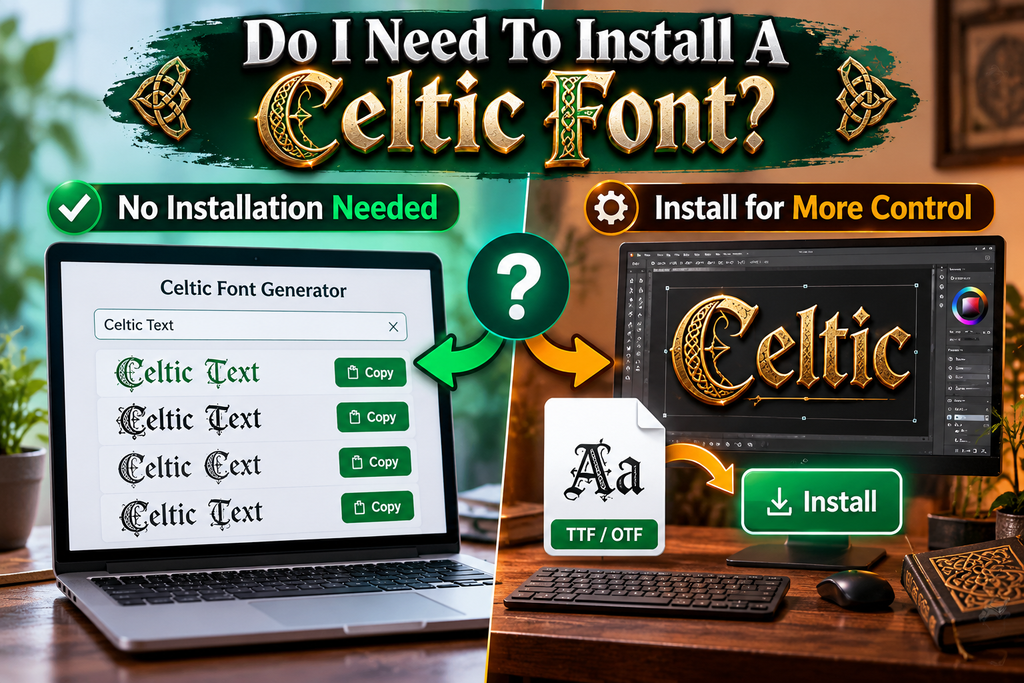
Usually, you do not need font installation to experiment with Celtic lettering: a copyable text generator may produce characters you can paste into compatible applications, although each platform determines how those symbols appear on screen.
Install a dedicated typeface only when your project needs reliable appearance control in design software or printed files; a rendered graphic preserves styling more consistently than pasted special characters across devices, platforms, and operating systems.
Also Read: Sports Font Generator & Text Effects
Where Can I Use Celtic-Style Text?
Use Celtic-style text in social media captions, gaming usernames, clan names, or fantasy characters when plain lettering feels too generic. For invitations, greeting cards, and Celtic celebrations, choose decorative lettering that supports readability and mood.
For visual projects, apply Celtic-inspired lettering to logos, banners, fantasy book covers, maps, or role-playing materials; use meaningful phrases for tattoos after consulting a tattoo artist about legibility and design with careful placement before ink.
Will My Copied Celtic Font Look The Same Everywhere?
Not always: stylized lettering may depend on whether a generator produces Unicode variations or returns an image. A copy can appear differently when devices, apps, and supported websites use different fonts or local character settings.
For consistency, test the copyable text in your target app, especially in headers and print-oriented designs. Unicode-based output may retain characters, but appearance can shift; an image often preserves its design more reliably across devices.
Conclusion
An effective Celtic-style text generator is less about decoration alone than choosing lettering that suits the message. Test Celtic font styles, check readability, and prepare the right export options before publishing across your intended platforms.
From historical manuscripts to contemporary applications, choose a treatment that respects the desired mood without sacrificing clarity. Preview accented letters, verify font support, and save a version suited to your final format and intended audience.
What Is A Celtic Font Generator?
A Celtic font generator transforms ordinary text into lettering inspired by traditional Celtic art, often featuring decorative curves, interlaced details, and medieval styling. Available styles depend on the tool you choose and its available settings.
Is The Celtic Font Generator Free To Use?
Many online Celtic font generators are free for text styling, previews, and copying. However, downloading font files or using generated designs commercially may involve separate licensing conditions, so check the provider’s terms carefully before use.
Do I Need To Install A Celtic Font?
Usually, no installation is needed when a generator converts your text into a downloadable image. If you need editable lettering inside design software, installing a properly licensed font file may be necessary on your device.
Will My Copied Celtic Text Look The Same On Every Device?
Not always. Unicode-style characters may display differently across fonts, apps, and operating systems, while image exports preserve appearance more reliably. Test copied text on your target platform before sharing, especially when decorative symbols are included.
Where Can I Use Celtic-Style Text?
You can use Celtic-inspired lettering in social profiles, gaming names, invitations, posters, logos, fantasy projects, and graphics. For long passages, choose a readable style and confirm commercial-use permissions first before publishing or selling the design.


