
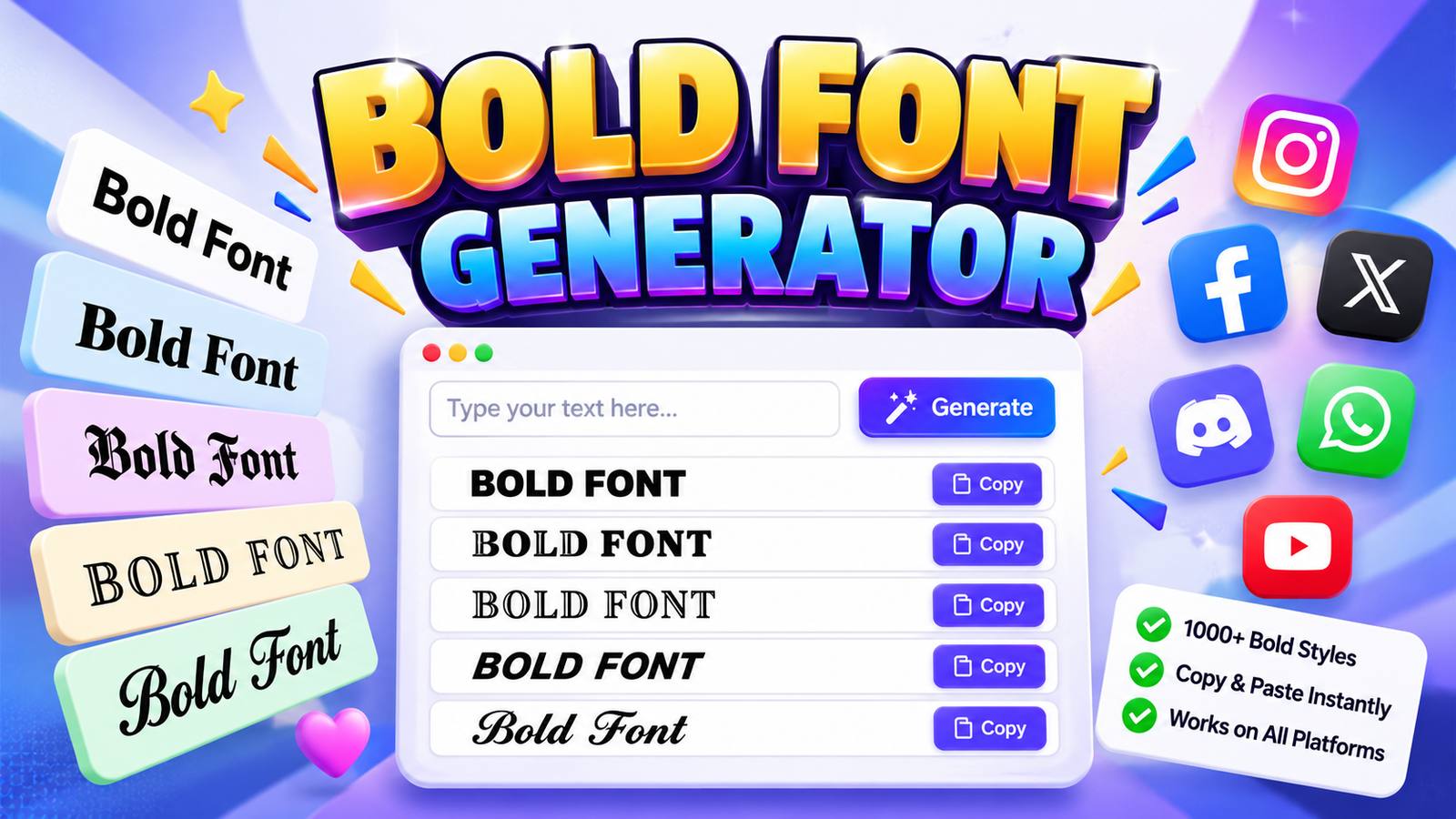

Bold Font Generator
Convert your normal text into stylish Unicode bold fonts instantly for social media, bios, and posts.
A bold text generator turns ordinary text into bold characters that create visual prominence without installing a typeface. In practice, I use this online tool when important information needs immediate attention across profiles and posts.
Rather than relying on traditional formatting, the generator maps letters into Unicode characters, producing copy-and-paste text for social media, bios, and messaging spaces. This approach adds emphasis while keeping the workflow quick, practical, and flexible.
Table of Contents
What Is A Bold Font Generator?
A font generator creates heavier characters from ordinary text, helping headings, keywords, and titles gain visual hierarchy. It produces readable content with a bold appearance for emphasis across digital spaces without manual formatting steps.
Unlike manual editing, the tool converts input into stylized text through character-based formatting, making eye-catching statements, headlines, and taglines easier to prepare. In my experience, copy-and-paste text works well when quick publishing matters online today.
What Is Bold Text?
Bold text is a visual form where bold font makes characters appear heavier, giving visual prominence to selected important words or phrases. Unlike ordinary emphasis, it creates stronger attention within digital content for readers today.
From my practical experience, bold characters work through Unicode bold styles, while some editors rely on CSS styling or conventional formatting. The distinction matters because copying behavior and platform support can change across digital environments.
Also Read: Double Struck Font Generator
How Does A Bold Font Generator Work?
A font generator reads ordinary letters, then selects Unicode Mathematical Bold equivalents. Instead of changing CSS font-weight, it performs character mapping, creating distinct Unicode characters that carry a bolder visual appearance across supported platforms reliably.
In practice, I treat the generator as text conversion rather than traditional formatting: it transforms each input character individually, preserves spacing where possible, and outputs copy-ready text for applications that recognize those Unicode characters reliably.
Unicode Bold Text Explained
Unicode bold text is built from distinct characters, not ordinary weight changes. Generator maps ordinary letters to Unicode equivalents, often using Mathematical Bold, so the result remains selectable, copyable, and recognizable across applications and platforms.
This character mapping performs text transformation before placement, which explains its different visual appearance from bold formatting. In my testing, formatting preservation is strongest where application support, browsers, and devices handle Unicode consistently more reliably.
How To Use A Bold Font Generator
Start by entering your phrase into the online generator, then review several bold styles before choosing a result. I usually check readability, visual hierarchy, and character support first, especially when the text targets multiple platforms.
After selecting a style, use the copy-and-paste functionality and place the generated text where needed. Test it on mobile devices and online platforms, because browsers, social platforms, and messaging applications can display Unicode characters differently.
Bold Font Styles And Variations
Bold styles can move beyond one heavy treatment: sans-serif, serif, Gothic, Fraktur, and mathematical forms create distinct personalities. In practice, I compare letter shapes first, because spacing and platform rendering can change perceived weight significantly.
Some designs need block, double-struck, italic, or script variations, while bold italic and script bold add stronger character. Decorative styles and Unicode-inspired styles work well across devices today for branding when readability remains under control.
Where To Use Bold Text
Bold text works naturally in social posts, profiles, and usernames, especially when readers scan quickly. On Instagram, Facebook, and LinkedIn, it can separate headlines, keywords, and calls-to-action without changing your message or requiring extra tools.
Beyond social feeds, bold styling fits Discord, WhatsApp, Telegram, Reddit, and YouTube descriptions where visibility matters. Use it for prominent content and specific details, while keeping regular typography around those points balanced for comfortable reading.
Bold Text For Social Media
On social media, bold text can sharpen visual hierarchy when audiences scroll quickly. Use Unicode bold text for headings, taglines, and highlighted keywords, keeping surrounding copy balanced for clarity, recognition, and easy scanning without clutter.
Across Instagram, Facebook, Twitter/X, and WhatsApp, generated emphasis works through copy-and-paste capability rather than a platform font menu. I recommend restrained styling, especially for profile editing, posts, bios, short messages, and practical daily online content.
Bold Text For Instagram
On social media, Unicode text can make updates easier to scan, especially when users move quickly through TikTok captions and profiles. I often use bold styling sparingly to highlight essential phrases without overcrowding feeds.
For Twitter/X, scannability matters when readers skim replies, bios, or announcements. Bold characters can separate key ideas from ordinary wording, while consistent spacing preserves clarity. This approach keeps social posts distinctive yet readable for everyone.
Bold Text For Facebook
Facebook creators can apply Unicode-generated bold text to status updates when visual emphasis matters. In my experience, a restrained bold appearance helps visitors notice announcements, offers, and important details without making sentences feel overloaded.
For community-facing updates, place social posts around concise statements and use brand recognition cues consistently. I prefer bolding names, event details, and calls to action selectively, because Facebook feeds favor hierarchy over formatting line unnecessarily.
Bold Text For Twitter/X
On Twitter/X, copied text can add emphasis when plain posts need stronger visual hierarchy, especially for keywords or short announcements. A Unicode generator creates styled characters that users can quickly copy across social platforms today.
Before publishing, check consistent appearance because characters may render differently across devices and browsers. I usually favor restrained bold style for important phrases, pairing it with readable content so posts remain clear everywhere online today.
Bold Text For Discord And WhatsApp
Discord communities often favor pasted text because styled characters travel directly into chats. I recommend checking compatibility first, then testing visual styling across online platforms before sharing announcements, usernames, or status messages in everyday conversations.
On WhatsApp, bold Unicode can emphasize greetings, group messages, or quick reminders without installing extensions. In practice, I keep lines concise because excessive bold text can reduce readability and make conversations feel crowded during chats.
Why Use Bold Fonts
Bold fonts can guide attention without changing meaning, especially when contrast separates priorities. In practice, I use them for subheadings, key instructions, and prominent text where quick scanning matters more than decoration and clutter online.
They also improve visibility when a page contains dense information, but heavier characters need restraint. A design context pairs emphasized words with content context, while strategic use preserves visual impact and keeps the font style.
When To Use Bold Text
Use bold text when a reader needs to notice something before reading everything else. Prominent text, short headlines, and key details gain immediate contrast, especially across TikTok, YouTube, and LinkedIn profiles where scrolling is constant.
From my own formatting work, bolding works best for selective emphasis: work emails, Wi-Fi network names, bookmark folders, product-photo captions, or holiday greetings can become easier to scan without turning every line into visual fatigue.
When Not To Use Bold Text
Bold fonts can support scannability when a reader must scan a dense message, but they become distracting when every phrase receives emphasis. In accessibility-focused layouts, excessive use can blur surrounding text and weaken clarity quickly.
From my editing experience, avoid bold styling for ordinary sentences, long passages, or decorative text when emphasis is unnecessary. On messaging platforms and social profiles, restraint keeps important information visible without making the composition heavy.
Unicode Bold Vs HTML And CSS
Unicode bold text changes characters themselves, while HTML and CSS apply presentation rules around ordinary text. In practice, it creates bold equivalents that travel with copied content across platforms without depending on stylesheet rules directly.
Ctrl+B provides rich-text styling in editors; HTML uses tags and CSS controls visual presentation. Unicode bold text instead belongs to a standardized system, so its appearance depends on character support rather than stylesheet declarations alone.
How To Choose The Right Bold Style
Choose a style by matching purpose, platform, and readability rather than chasing decoration. For profiles, I usually test Sans Bold, Serif Bold, and Bold Italic against the surrounding text before publishing because visual balance matters.
For longer captions, compare Script Bold Italic, Fraktur Bold, or Math Sans Bold with Unicode styles and decorative styles. Check copied results on mobile, then choose the strongest contrast without sacrificing clear communication or accessibility.
Can Bold Text Be Combined With Other Styles
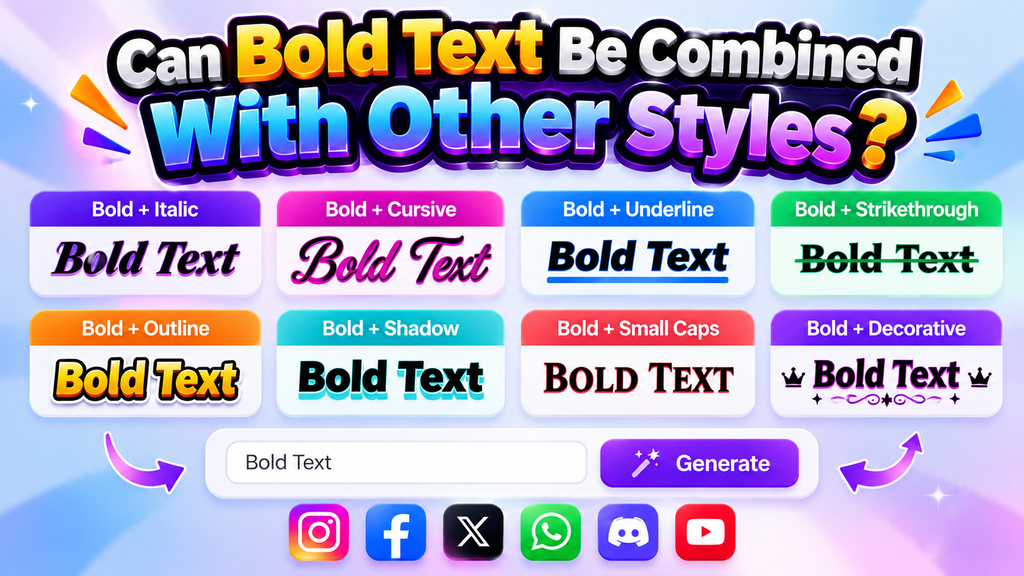
Bold text can work with italic, cursive, and other Unicode styles when characters remain supported by the destination platform. I often test Bold Italic first because they preserve emphasis while adding controlled variation to short messages.
For headings or gaming profiles, combined styles can create hierarchy, while decorative text works better for small accents. Keep text styling restrained, check readability, and avoid stacking effects when bold already communicates the intended priority.
Is The Bold Font Generator Free?
The free generator offers straightforward free use, so users can create bold text without paying, while the free tool keeps experimentation simple. In practice, I find this useful when testing styles before publishing across platforms.
Because no registration is required, access stays frictionless, while unlimited use supports repeated edits. Each generated text result can be copied, refined, and reused whenever a project needs stronger visual emphasis for different content needs.
Also Read: Creepy Text Generator
Why Choose A Bold Font Generator?
A bold text generator saves time when you need emphasis without redesigning writing manually. I value copy-paste support, consistent output, and 50+ styles, especially when creating social posts, bios, captions, or messages for daily publishing.
It also helps when a free tool must produce readable emphasis quickly. For wider communication, scannability matters, while Unicode styles give distinctive characters that remain useful across platforms without requiring software installation or font files.
What Is A Bold Text Generator?
A bold text generator creates visually emphasized characters by converting ordinary wording into Unicode-based alternatives. In practice, messaging applications may display these characters differently, while browser tabs can reveal compatibility limitations during everyday use.
The process is essentially text conversion was used in the content above to replace standard letters with related encoded forms, rather than changing typography itself. I test several outputs first because platform rendering controls appearance.
How Does A Bold Font Generator Work?
A font generator transforms typed input through style selection, showing style previews before producing a generated result. I usually start in the input field, compare multiple styles, and choose the version that fits the platform.
The process can also involve a character system built from computer characters; Mathematical Bold provides one mapping. With broad character coverage, generators return separate characters, letting differences before users publish selected output across platforms online.
How Do I Make My Font Bold?
Making text bold depends on where you publish it. A font generator can create Unicode characters that appear heavier, while native editors use formatting controls. For social posts, generated versions travel beyond traditional editing instantly.
From my experience, the practical method is simple: type your phrase, choose a heavier style, then copy the result into supported online platforms. Check the appearance afterward, because character support can vary on devices today.
How Do I Make Instagram Bio Text Bold?
To make Instagram bio text bold, type your message into a generator, review each style selection, then copy the result. Paste the styled bio text directly into your profile and check its appearance on mobile.
In practice, I keep Instagram bio wording concise because decorative characters can reduce clarity. The generator creates Unicode alternatives, while copy and paste make testing quick; compare spacing, line breaks, and visibility before publishing today.
Can I Use Bold Text On Discord, WhatsApp And Twitter/X?
Yes, bold text can work on Discord, WhatsApp, and Twitter/X, but the result depends on whether the app supports pasted text, native formatting, or Unicode characters. For profiles, messaging, and posts, test visibility first carefully.
On Discord and WhatsApp, community platforms commonly preserve Unicode bold characters after copying, while Twitter/X may display copied text consistently across devices. I usually compare desktop and mobile views before publishing to avoid rendering issues.
What Bold Font Styles Are Available?
A generator usually offers several visual treatments, letting users compare Math Bold, Manuscript, and Math Sans Bold before choosing a look. Each option changes texture, spacing, and perceived emphasis slightly while remaining easy to copy.
From cleaner Sans Bold and Serif Bold to expressive Bold Italic, Bold Script, or Double-Struck Bold, style choice depends on context. I usually test headings, usernames, and short phrases first, because readability can change dramatically.
Conclusion
Choosing classic or modern emphasis works best when the message stays readable. I often test mixed and Unicode-inspired styles before posting, especially for bios, social profile, or important sentences that need visual weight without clutter.
Use bold words sparingly, because overuse, dense formatting, and regular-weight typography all have roles in contrast. For practical work, I prefer free tool options with no registration, then copy the generated text directly where supported.
What Is A Bold Font Generator?
A Bold Font Generator converts regular text into bold-looking Unicode characters that can be copied and pasted across supported websites, social media platforms, messaging apps, profiles, captions, and other digital spaces.
Is The Bold Font Generator Free To Use?
Yes, a bold font generator can be used online without installing software. Most tools provide free text generation, allowing users to create, copy, and paste bold Unicode styles whenever needed.
Can I Use Bold Text On Instagram And Facebook?
Yes, generated bold Unicode text can be pasted into supported Instagram and Facebook areas, such as bios, captions, comments, and posts. However, platform formatting and character support can vary.
Does Bold Unicode Text Work On Mobile Devices?
Bold Unicode text generally works on modern smartphones, including Android and iPhone devices, because the characters are displayed using available fonts. Results can vary depending on apps, operating systems, and font support.
Is Bold Unicode Text The Same As Using Ctrl+B?
No. Ctrl+B applies bold formatting to supported rich text, while Unicode bold uses specially encoded characters. Unicode styles can remain visually styled when copied across platforms that support those characters.


[…] Also Read: Bold Font Generator […]