


Small Text Generator
Type your text. Tap Copy on any style.
A small text generator turns writing into tiny text using Unicode characters, creating a much smaller appearance. I often see it used across social platforms and profiles when users want styling without changing their message.
The result remains practical because you can copy and paste the generated characters into text messages, emails, usernames, or bios. A Unicode character set supports distinctive formatting while preserving familiar wording and flexible visual presentation.
Table of Contents
What Is Small Text?
Small text is created when ordinary letters are replaced with Unicode characters that produce a visually tiny appearance. Unlike resizing a standard text font, this method uses Unicode-based characters that can be copy and paste.
From my work with generators, I’ve found that small text styles are useful when a compact form suits names, captions, or labels. Small text can add distinction without changing surrounding layout, spacing, or the original message structure.
Also Read: Wide Text Generator
How To Use A Small Text Generator
Start by entering your phrase into the online tool, then review available styles before conversion. I usually test tiny characters, small caps, and superscript options, comparing readability with normal text across devices before publishing carefully.
Paste or type normal text, choose a style selection, and generate the result instantly. Check the transformed text on your phone and desktop, then copy text into usernames, captions, messages, or profile text as needed.
Small Text Styles / Types
Different formats solve different visual problems: distinctive compact form works for names, small-cap characters create an uppercase-like appearance, while superscript characters and subscript characters shift emphasis without changing the underlying message across everyday text platforms.
From playful to functional, bold Unicode characters increase visual weight, Bubble Text uses circles, Backwards Text reverses arrangement, and Upside Down Text gives text transformation a transformed, arranged, upside-down appearance for social profile identity testing.
Small Text
Compact lettering creates a tiny appearance without changing meaning, often using small-cap style, subscript style, or superscript style within Unicode symbols. I use these forms when conventional typography feels too heavy for compact spaces daily.
A practical small text font can add visual variation to profiles, posts, or designs, but readability should guide placement. Selective use keeps important wording clear, while styled characters provide subtle differentiation across supported platforms carefully.
Upside Down Text
Upside-down text creates a playful reversal by changing letter direction, giving writing a transformed appearance. In my experience, this text style works well for usernames, posts, and experiments when readers can recognize the message quickly.
Many generators produce upside-down text through text transformations, substituting supported Unicode characters rather than changing conventional fonts. That makes the result easy to copy-paste across platforms while preserving its distinctive reversed presentation in everyday use.
Small Caps
Small caps create an uppercase-like appearance while keeping proportions compact, making ordinary words feel more refined. In practice, I often use small-cap characters for headings, profile labels, and short social snippets when visual hierarchy matters.
Unlike simply shrinking a conventional font, Unicode character sets substitute letters with distinct glyphs. This small-text alphabet can preserve an uppercase-like appearance across compatible platforms, helping branding, biographies, social-media captions, profiles, and text remain readable.
Bold Text
Bold text is useful when tiny lettering needs a stronger visual anchor. In small text generators, bold text can separate labels, usernames, notes, or highlights while preserving compact styling across modern interfaces for quick emphasis.
From my testing, small-text styles become clearer when emphasis is selective. A browser tool can create a generated result quickly, letting users compare weight, spacing, and readability before copying styled characters elsewhere within social profiles.
Bubble Text
Bubble text works best when the goal is playful visibility rather than tiny sizing alone. I often test circle characters beside bubble text to compare spacing, readability, and personality across social media and digital layouts.
A workflow is to enter a short phrase, preview several generated text styles, then use the copy button before placing the result into social media or gaming platforms. This approach keeps choices controlled on devices.
Backwards Text
Backwards text reverses visible character order, creating a playful effect unlike ordinary formatting. In practice, I use postscripts, text styles, and quick conversion when a message needs visual curiosity without changing its words or meaning.
Unlike installable fonts, the reverse arrangement can suit social-media captions and playful interfaces, while normal text remains readable across devices and platforms without extra software for casual posts, notes, profiles, and creative messaging when desired.
Superscript
Superscript places characters above normal text, creating compact emphasis without changing the surrounding visual appearance. In practice, it works well for mathematical formulas, reference markers, ordinal notation, and stylistic names when readers need subtle elevation.
Unlike shrinking a small font, superscript uses character positioning that preserves identity across platforms. I recommend checking the complete character sets first, because some generated styles depend on Unicode support, while incomplete set limits coverage.
Benefits / Features Of Small Text Generators
The biggest advantage is flexibility: a free tool can enhance text without altering its meaning, while multiple styles give creators compact options for captions, notes, and design-focused publishing across everyday digital workflows and content planning.
From my testing, consistency matters more than decoration; a browser-based tool speeds experiments, and social media compatibility makes tiny characters practical for recurring layouts, professional contexts included across everyday workflows and branding tasks with confidence.
Where Can You Use Small Text?
Small text works beyond decorative profiles; I often see it fitting into social media, especially Instagram, Tumblr, Twitter/X, and Facebook, where lettering can separate meme captions, usernames, replies, and short announcements without overwhelming the screen.
Outside feeds, small lettering also suits Pinterest posts, blogs, websites, email communication, presentations, and forums. I use it selectively for image captions, website sections, gaming platforms, and professional designs when subtle emphasis improves hierarchy clearly.
Social Media
On social media, compact text can sharpen profiles without crowding the screen. I often use Instagram, Twitter/X, and Facebook styles for bios, captions, jokes, and announcements while keeping messages clean across different post formats easily.
Small Unicode styles also work in text messaging, gaming platforms, and blogs when emphasis is needed. I recommend testing each generated form across devices, because unusual characters may render differently or reduce readability on mobile.
Profiles And Usernames
For social profiles and usernames, small text can create differentiation without changing the identity of your account. I often use a small text converter to test cool text before choosing a compact style for display today.
Compact Unicode-style lettering can fit neatly into bios, handles, and status lines, while fancy text adds personality. I prefer character sets and moderate styling so names remain recognizable across platforms and screens for everyday use.
Captions
For social captions, compact lettering can sharpen emphasis without crowding the message. I often use small-text style sparingly, especially within visual design, keeping the main sentence readable across mobile feeds and shared profiles comfortably everywhere.
A practical approach is mixing ordinary wording with fancy text for a short accent, then testing the result in images, videos, email, or forums. This keeps decorative captions useful, searchable, and easy to understand quickly.
Messages And Chats
In messages and chats, small typography can add emphasis without changing wording. I often use compact styles for side notes, playful replies, or email phrases when standard formatting feels unavailable during quick conversations online, especially.
During fast conversations, selectable styles can separate reactions, labels, or references while keeping chats readable. I find device compatibility matters more than decoration, because recipients may view generated output differently across phones, tablets, and desktops.
How To Choose The Right Small Text Style
Choose a style by first checking visual hierarchy, then matching the tone of your profile, caption, or message. I usually test readability at normal size before deciding whether a decorative font style remains practical today.
A good rule is moderation: use the small-text option where emphasis benefits from subtle sizing, not everywhere. Select style according to context, device display, and how easily readers can recognize each character consistently across platforms.
Small Text Letter Alphabets
Small-text lettering relies on Unicode characters rather than shrinking a conventional font. The alphabets create compact superscript, subscript, and small-cap effects, giving ordinary words a distinct appearance across compatible platforms without installing special typefaces today.
In practical testing, small-text letter alphabets work best when readability remains the priority. Different Unicode sets may render inconsistently, so checking profiles, captions, messages, and usernames on devices helps prevent missing glyphs, spacing, or substitutions.
What Else Is Small Text Called?
Small text is often described through a character set rather than a separate font family. Depending on the style, people may call it tiny text, small-letter text, or subscript-style lettering for compact digital text purposes.
In practice, labels vary by platform: superscript-style forms sit high, while subscript versions sit low. Designers may also say bubble-like characters, backwards text, or bold small lettering depending on appearance and transformation across creative contexts.
Small Text And Unicode
Unicode makes small text possible without installing a separate typeface. A generator performs text conversion into Unicode characters, producing a converted result that can resemble small-letter text while remaining copyable across many platforms and apps.
In my testing, Unicode small text behaves differently from resized font styling: subscript and isotopes serve structural purposes, while mathematical formulas and bubble text show how encoded characters support specialized visual variations online today widely.
Also Read: Symbol Text Generator
How Can An Online Small Caps Font Generator Help You?
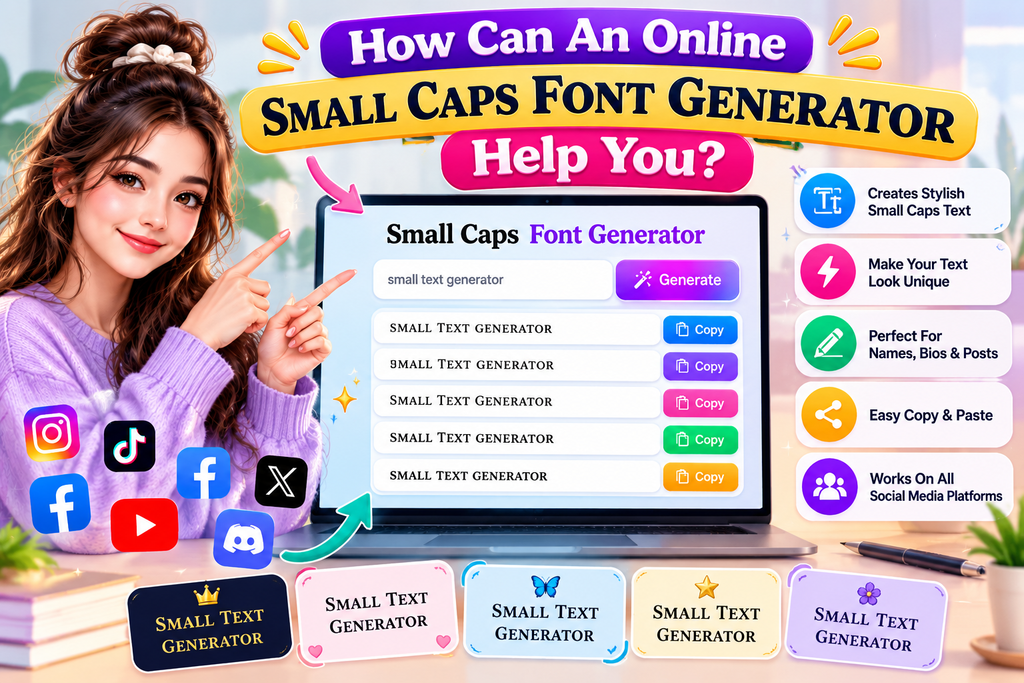
An online small caps font generator simplifies text conversion when you need compact headings, profiles, or decorative labels. It provides instant results, supports multiple outputs, and lets users explore polished typography without installing specialized software.
In my experience, the biggest advantage is practical speed: quick conversion helps refine visual design for websites, while copy result and generated output make online testing easier before publishing across devices, documents, or social profiles.
Small Text Letter Alphabets
In small text design, alphabets matter because each character must retain recognizable shapes after reduction. I usually test uppercase, lowercase, and mixed forms before choosing a compact Unicode style for profiles, captions, and usernames online.
A useful detail is consistency: narrow characters can look elegant beside symbols, while uneven glyphs become distracting. For practical projects, compare several alphabets on the actual device, then select the clearest variation for users today.
How To Choose The Right Small Text Font
Choosing the right small text font starts with purpose. Check text density before styling usernames, captions, or notes, because crowded characters reduce clarity. In professional contexts, subtle superscript or compact lettering usually works better today.
I compare readability, platform behavior, and personality before selecting a style. For identities, decorative forms can stand out, while video captions benefit from controlled visual style. Always test the result on phones before publishing first.
Creative Design Uses
In my design work, I use small text converter results for professional designs, digital notebooks, printables, and DIY designs, especially when compact accents need hierarchy without crowding the main composition or weakening readability across screens.
I also apply small lettering to statement shirts, memes, planners, creative projects, and short-form video content; this restrained treatment can attract attention, add personality, and support a cleaner website presentation when decorative spacing matters visually.
Superscript And Subscript
Superscript places characters above the baseline, while subscript moves them below it. Forms distinguish above normal text, footnotes, and mathematical formulas, while subscript can mark below normal text positioning for notation without disrupting sentence structure.
I use superscript for powers and references, while subscript organizes chemical compounds and variables. Compared with a conventional font, a generator creates precise expressions from ordinary text, helping digital writing stay clean, readable, and consistent.
Conclusion
From my experience, a small-text generator becomes most useful when rapid text conversion meets careful styling. Choose readable forms for professional designs, while copy result workflows keep short content practical across devices and platforms daily.
A thoughtful workflow can combine small-letter text with copy button removed, generated output, and website content needs without overcomplication. For creative work, planners and scrapbooks benefit from compact typography that remains clear across everyday use.
What Is A Small Text Generator?
A small text generator transforms ordinary input into compact Unicode forms that appear reduced in size. In my testing, it works through a browser-based tool, producing generated text suitable for profiles, captions, chats, and designs.
How Do You Make Words Smaller?
Making words smaller usually means changing their appearance rather than deleting letters. A small-letter text tool applies Unicode characters, letting you enter text, preview miniature forms, and copy the result quickly for social posts and profiles.
Where Can I Post Small Text?
Small text works best where compact styling adds personality without hurting readability. I regularly see it used in private messages, group chats, Tumblr, and Pinterest, especially for captions, profiles, creative posts, and casual online conversations.
Is A Small Text Generator Available Offline?
Offline versions exist as an installed application, allowing free use after setup. In my experience, local tools handle rapid text conversion reliably across supported devices, although web-based generators still offer broader access and work offline.
Is There A Word Limit?
A small text generator usually has no strict word limit; however, long website content may render differently across platforms. I test outputs with copy result, paste text, and direct messages to check readability before publishing.


[…] Also Read: Small Text Generator […]