
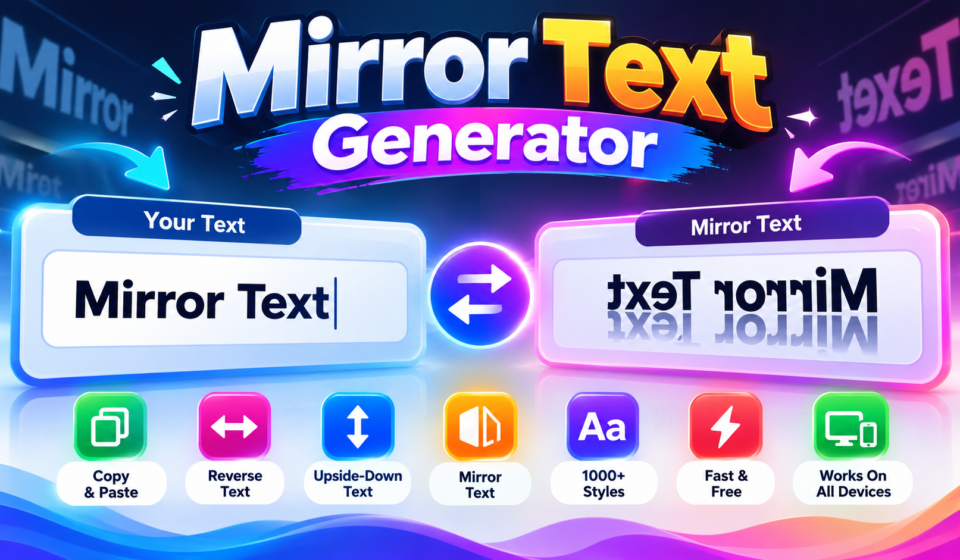

🔄 Mirror Text Generator
A mirror font generator turns ordinary text into mirror text through Unicode characters, creating reversed visual forms for creative applications. I find this online tool useful when users need decorative text without installing anything quickly.
Rather than treating mirroring as a downloadable font, the generator relies on Unicode-style text and transformation logic, letting mirror writing generator output be copied and pasted into social media posts and designs instantly with ease.
Table of Contents
What Is A Mirror Text Generator?
A mirror text generator converts ordinary writing into mirrored characters for decorative applications, often creating upside-down results that feel unusual, playful, or visually striking while keeping the original message recognizable across supported Unicode characters online.
In practice, the tool transforms letters through character substitutions rather than changing the underlying font family, producing copyable text for profiles, messages, logos, puzzles, and other designs where visual reversal adds personality easily without installation.
How Does A Mirror Text Generator Work?
A mirror text generator reads normal text, then performs text transformation through Unicode substitutions. Depending on the chosen mode, it can reverse characters, create a mirrored version, or produce upside-down transformation automatically for visual results.
From my testing, the generator uses the browser: it converts content through a character mapping, selecting mirrored Unicode or different character substitutions when direct reflection is unavailable. After processing, users can copy the generated result.
How To Use A Mirror Text Generator
Enter your phrase into the input, choose a mirror mode, and preview the result before copying. I often begin with horizontal transformation because the generated text is easy to inspect and adjust for uses online.
Next, select a style, copy the finished text to your clipboard, then paste it into a post, username, or message. For decorative results, compare mirror-letter forms and verify that Unicode characters render cleanly before sharing.
Also Read: PLS Donate Text Generator
Where Can You Use Mirrored Text
Mirrored text fits creative spaces where visual direction matters: logos, messaging apps, social-media bios, graphic designs, and gaming profiles can display transformed wording for identity, experiments, puzzles, or decorative effects across digital projects today effectively.
I see designers adapt mirrored output for visual applications, tattoos, website creative elements, posts, and puzzles, checking legibility before publishing. The effect works best when direction supports the design rather than distracting from its purpose.
Is Mirror Text Free And Easy To Use
A mirror tool is usually a free online generator, so beginners can start without downloads. In practice, I prefer a web-based generator because the internet browser handles generation quickly across common devices and screens today.
For daily use, the process stays simple: enter text, choose a style, copy the output, and paste it where needed. This makes mirror-text tools useful for social posts, profiles, and experiments without complicated technical setup.
Mirror Text On Mobile And Desktop
Testing mirrored output across mobile phones and desktop devices reveals a practical difference: a web-based generator usually behaves consistently, while browser width, font support, and unsupported Unicode can alter how characters appear during final review.
I test the same phrase on both screens before publishing. On handheld screens, mirrored text may need spacing adjustments; on desktop, wider layouts improve readability, but boxes, missing glyphs, or question marks still require careful checking.
Mirror Text Modes: Horizontal, Vertical, And Upside-Down
Horizontal mode reverses character order across the line, creating reflected in a mirror visual appearance without changing the underlying text. It suits playful labels, puzzles, and designs where direction matters more than conventional reading alone.
Vertical mode rearranges presentation, while upside-down mode rotates the orientation. In practice, I test results on devices because vertical transformation, upside-down mirrored text, spacing, and letter support can vary after copy and paste across displays.
Backwards Text Vs Mirrored Text
Backwards text changes word order or presents reverse text, while mirror transformations alter letter direction. Mirrored characters can preserve sequence even when their visual orientation changes, creating a reflection rather than a rearranged sentence structure.
When testing generators, I compare reversed forms with the original text first. A mirror tool applies character substitutions, often through Unicode mapping, whereas backwards output may simply reverse sequence without creating reflection-like letter shapes visually.
Where Do Mirror Unicode Characters Come From
The source is not a downloadable typeface: Unicode code points identify individual letters, while a glyph table determines available shapes. A mirror effect appears only when suitable characters can approximate reversal inside the character set.
Generators may draw from Latin Extended, Greek characters, IPA symbols, or Canadian syllabics. For special cases, turned letters and visually reversed Unicode characters can imitate reflection, although coverage varies between characters and platforms on devices.
Mirror Text Character Mapping And Glyph Tables
Character mapping links each source glyph with its closest visual counterpart, rather than changing the underlying typeface. In practice, Unicode ranges, available characters, and character patterns determine whether a mirrored counterpart exists for every letter.
Reliable glyph tables therefore separate Latin Extended forms, reversed forms, and visually similar characters from suitable Unicode mirror characters. Some Latin characters remain unchanged, while mirrored alternatives depend on symmetrical characters supported by Unicode itself.
Why Do Some Letters Not Mirror Correctly
Some letters lack suitable characters for a true reflection because Unicode does not provide every shape as a direct counterpart. Latin characters can be inconsistent, while symmetrical characters may appear unchanged rather than flipped visually.
Generators therefore select Unicode mirror characters when available, but unsupported shapes may require mirrored alternatives or visual approximation. In practice, I check the glyphs first, because browser fonts can alter how the result actually appears.
Mirror Text For Social Media
On social platforms, mirrored text can function as a visual hook: creators may combine social media bios and social media posts with ordinary copy, creating contrast while keeping essential wording immediately recognizable at a glance.
In practice, I test mirrored text across Instagram, Twitter, and TikTok, then reuse the result in comments, visual hooks, or gaming profiles. This helps distinguish decorative identity from essential information before publishing a final design.
Mirror Text For Gaming And Puzzles
In gaming, gaming usernames can become quick visual puzzles when mirrored text appears reversed. Players may spot clues, decode layouts, or recognize a mirror effect that makes ordinary names feel unexpectedly cryptic during matches online.
Puzzle designers can use reversed titles as clues, while players conceal messages or compare outputs from a mirror generator. In my testing, these tricks work best when visual orientation itself becomes part of each challenge.
Mirror Text For Logos, Tattoos, And Wordmarks
For logos, mirror text can turn a simple wordmark into a visually distinctive mark, especially when graphic designs need symmetry, balance, or reversible presentation. I often test spacing carefully before approving final artwork for publication.
For tattoos, readability matters more than novelty: they should be checked at intended size, while font choices can affect mirrored alternatives. I use professional printing proofs and testing against printed materials before applying permanent artwork.
Mirror Text For Ambigram Design
Ambigram design becomes more practical when horizontal mirroring is tested beside the original. I often use symmetrical characters first, then inspect Unicode mirror characters to build letters that remain recognizable through rotation and reflection carefully.
A useful workflow combines mirror style, visual substitutions, and standard characters before committing to a layout. A visual check catches awkward joins, uneven spacing, or glyphs that break the ambigram’s intended balance in the composition.
Mirror Text As A Basic Concealment Or Decoding Method
Mirror text can provide light visual obfuscation when readers need to pause before understanding a message. In my testing, mirrored text works best for puzzles, private jokes, or simple decode challenges, rather than serious secrecy.
A generator changes character order or applies horizontal mirroring, creating a reversed version that feels unfamiliar at first glance. This can make content harder to read, while still allowing careful users to decode it manually.
Choosing The Right Mirror Style
For practical selection, social posts often benefit from visual hooks, while a layout for puzzles may need a clearer transformation. I test several outputs first, because appearance alone does not guarantee readable results on screen.
On mobile and desktop, I compare generated styles with unusual Unicode before choosing one. A style that looks balanced in the preview can shift after copying, so I test spacing, letter shapes, and alignment too.
Can Mirror Text Be Un-Flipped
Yes, mirroring can be reversed by applying the same transformation again. With horizontal mirroring, reflected characters return toward their original orientation, although results depend on whether the generator created visual substitutions or Unicode characters directly.
From practical testing, ordinary visual output is easiest to restore when the generator stores the transformation separately. A copy-and-paste result may require another converter, because not every character has a matching counterpart.
Mirror Text With Emoji And Numbers
Mirror text can combine emoji and numbers, but results depend on symbol support. emoji may stay intact or use visual substitutes, while digits often remain unchanged instead of becoming true reflections in generated output online.
In practice, I test available alternatives when standard symbols look uneven, then compare spacing, alignment, and readability across profiles, captions, puzzles, and usernames. This approach keeps effects consistent despite character differences across devices and apps.
Mirror Text Compatibility Across Platforms
Cross-platform compatibility depends less on visual ambition than encoding support. On mobile phones, desktop computers, browsers, and social apps, mirrored output may display differently when unsupported symbols replace intended glyphs on certain platforms today reliably.
I test copied results before publishing, because Unicode handling varies between software systems. WhatsApp, Instagram, Twitter/X, and TikTok may preserve mirrored symbols visually, yet major platforms can substitute missing glyphs unexpectedly on devices and browsers.
Are Mirror Fonts Accessible To Screen Readers
Mirror text can look clear to readers, but its transformed Unicode symbols may not be interpreted reliably by screen readers. For accessibility, keep important information in ordinary text and use mirrored output as decorative content.
In testing, I treat mirror styling as optional presentation rather than essential communication. When accessibility matters, provide a readable alternative, avoid putting instructions inside mirrored output, and test unusual characters across devices carefully before sharing.
Can Mirror Text Be Used In Printed Materials
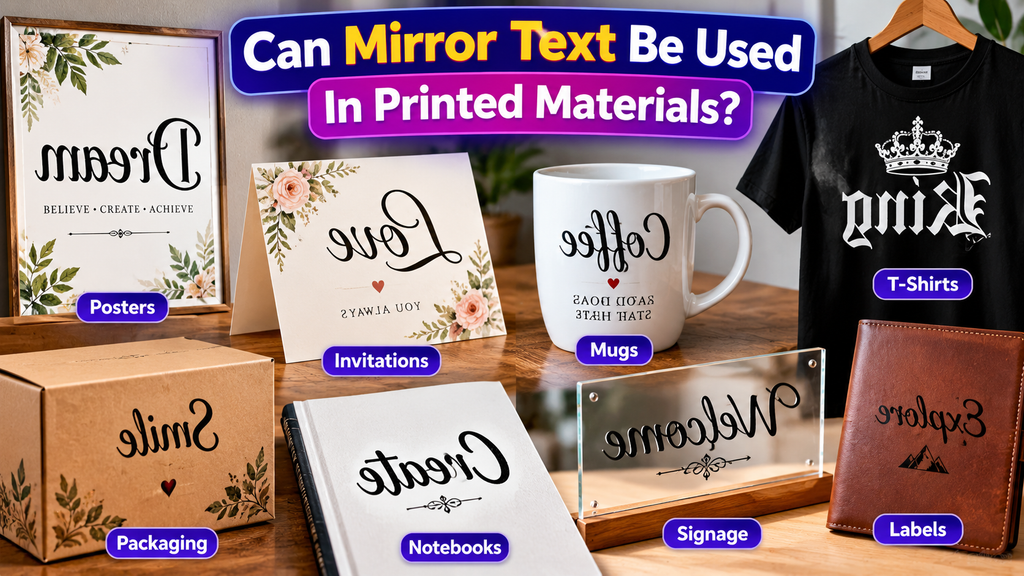
Yes, mirror text can appear in physical designs, especially posters, invitations, packaging, and signage. I have found it most effective when the mirrored treatment is deliberate, printed clearly, and paired with supporting text for accessibility.
For wordmarks, labels, or promotional artwork, horizontal mirror mode can create a distinctive visual effect. Test the final artwork at actual print size, checking contrast, spacing, and character rendering carefully before sending files to production.
Also Read: Ink Your Words: Free Tattoo Font Generator
Mirror Text And SEO
For SEO, I keep mirrored wording away from body text when clarity matters. Search engines can process special symbols, but unusual presentation may complicate language interpretation, especially when meaningful phrases support discoverability for users online.
Use mirrored effects mainly in decorative titles or social elements, while preserving standard characters for essential information. This separation protects readable search signals and reduces uncertainty around ranking without sacrificing visual creativity or metadata clarity.
Mirror Text Privacy And Browser Processing
In my experience, a free online tool may process mirror transformations in your browser, but implementation matters. A web-based generator using client-side JavaScript can avoid sending entered text to servers during processing without remote transfer.
Before entering sensitive material, check the site policy and network behavior. Features such as one-click copying, CSS styling, and Unicode-style characters concern output handling, while server logs, analytics, and third-party scripts determine broader privacy exposure.
Mirror Writing In History And Popular Culture
Long before digital generators, early experimentation with ambigrams explored how letters could form 180-degree relationships and appear reflected in a mirror. Artists treated upside-down text as puzzle, anticipating modern mirror styles in popular culture today.
In popular culture, creative use appears in escape-room puzzles, logos, tattoos, and wordmarks; social profiles and game-related clues extend reflection into digital identity, while vehicle decals preserve the effect in physical design today and beyond.
Conclusion
A mirror style is less about decoration than control. In my experience, results come from testing the generated output across devices, checking characters and privacy, then confirming that the effect remains recognizable for the audience.
Mirror text works best when purpose drives the choice: a playful creative title, puzzle clue, or decorative element. For SEO, keep essential information in standard text because search engines interpret language more reliably during processing.
What Is A Mirror Font Generator?
A Mirror Font Generator converts ordinary text into visually mirrored or flipped characters. It creates a decorative text effect that can be copied and used in social media bios, messages, gaming profiles, puzzles, logos, and creative designs.
How Does A Mirror Font Generator Work?
The tool uses Unicode characters and character mappings to produce a mirrored appearance. Depending on the available style, it can reverse lettering visually, flip text horizontally, or create other reflected text effects without requiring font installation.
Can I Use Mirror Text On Mobile Devices?
Yes, mirror text can generally be created and copied using smartphones and tablets. Most web-based generators work through mobile browsers, allowing users to enter text, generate the result, and paste it into supported applications.
Does Mirror Text Work On Social Media Platforms?
Mirror text can work on many social platforms, messaging services, gaming communities, and profile fields. However, appearance may vary because platforms, devices, and operating systems can render Unicode characters differently or remove unsupported characters.
Is Mirror Text Safe For SEO And Accessibility?
Mirror text is mainly intended for visual decoration rather than essential information. Standard readable text should be retained for important SEO content and accessibility, because unusual Unicode characters may be interpreted differently by search engines and screen readers.


