
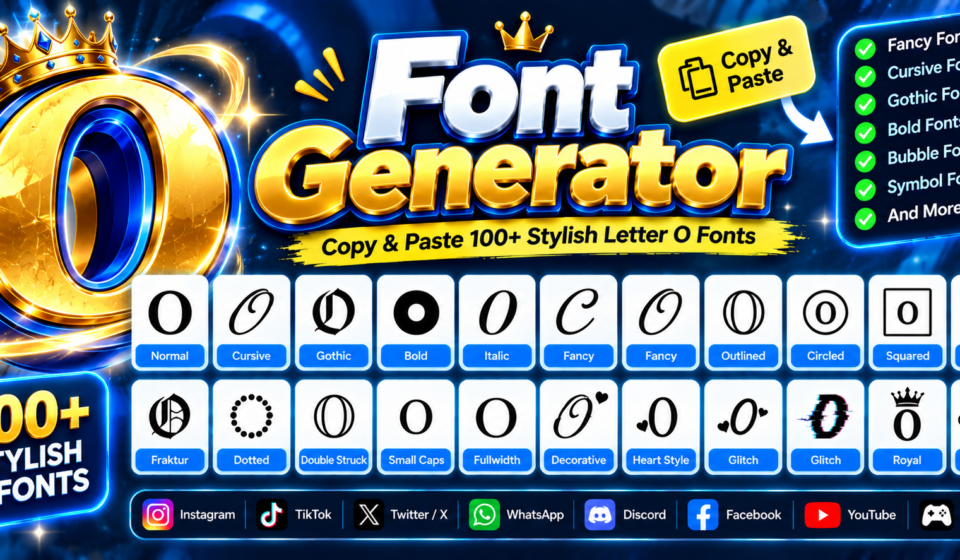

“O” Font & Symbol Generator
Generate stylish variations, mathematical symbols, and artistic fonts for the letter O or any word.
An O font generator turns ordinary text into expressive Unicode designs, letting you explore decorative characters without installing a traditional font file. I use it when styling matters most for digital profiles and creative text.
From my hands-on testing, the useful difference is control: choose readable font styles, preview O font styles, then copy and paste the result across social media, messaging, gaming, or profiles while keeping the identity consistent.
Table of Contents
What Is O Font Generator?
At its core, a generator performs Unicode-based transformation, using Unicode mapping to compare different Unicode representations. This approach lets the same message appear with varied character forms, without requiring users to install separate font files.
From my experience, the useful distinction is that a generator produces generated output as characters, not image files. That makes copy-and-paste practical for profiles, messages, usernames, captions, and other digital uses across compatible platforms directly.
How To Use The Font Generator?
Start by enter your text in the input field, then choose a font style that matches your purpose. Browse cursive, bold, gothic, or fancy variations, checking readability before copying the result for practical use later.
After selecting, copy the styled text and test the Unicode text before sharing it. Paste it anywhere, including usernames, bios, posts, or chat apps. I routinely check platform compatibility because rendering can vary across devices.
Also Read: Manga Font Generator – 1000+ Anime, Japanese & Comic Text Styles to Copy and Paste
Step 1: Enter Or Type Your Text
Start with the input field by entering words you want transformed. Keep your phrase simple, because the generator can later produce varied lettering and decorative options without changing your original message or meaning for sharing.
After entering text, inspect the generated choices rather than committing immediately. Compare font styles and selectable categories, then choose an option that suits your intended message and the platform where you plan to share it.
Step 2: Choose / Browse A Font Style
After you enter your text, choose a direction before settling on one design. I typically browse several font style options, select the clearest treatment, and inspect the generated output for consistency, spacing, and character balance.
Rather than defaulting to decoration, compare bold, cursive, fancy, gothic, small, glitch, symbols, and aesthetic choices. Testing contrasting choices helps reveal which option most effectively suits your specific text, intended platform, audience, and visual identity.
Step 3: Copy The Styled Text
After selecting a design, preview the generated text before sharing it. I usually check rendering first, then copying, because some Unicode characters may appear differently across platforms or mobile devices during everyday use online together.
Once the preview looks right, use the copied result and paste it wherever needed. For usernames, captions, notes, or profiles, test the fancy fonts briefly; consistent compatibility keeps the right font style readable across devices.
Step 4: Paste Anywhere
After your O style is ready, paste the font generator results directly into profiles, captions, documents, or games. I often test custom fonts in Instagram and Discord first, because platform behavior can change right away.
For broader sharing, I check WhatsApp, TikTok, and Facebook, then review rendering on mobile devices. Keep social content simple when clarity matters, since decorative Unicode may display differently across operating systems, browsers, and apps reliably.
Best Font Styles / O Font Styles
Popular fonts for O include script, fraktur, double-struck, circled, monospace, squared, small-capital, and fullwidth variants. I also test cursive styles, bold styling, and heavy lettering when different visual contexts need distinct personality for practical use.
Beyond that, bubble, boxed fonts, dark bubble, parenthesized, and symbol-wrapped designs create distinct O forms, while decorated fonts, Unicode symbols, Unicode styles, and text art add character for profiles, gaming, branding, or online stylish fonts.
Popular Fonts For Letter O
For O styling, I usually test script, double struck, and gothic bold first because each creates a distinct letterform. Monospace keeps edges controlled, while italic adds movement without overwhelming short usernames or branding, and captions.
For playful profiles, bubble, wide, small capital, and upside down variations can change O’s personality quickly. I also find symbol styles, tiny, and subscript useful when subtle decoration matters most today across different platforms too.
O In Cursive
Cursive O lettering gives the letter O a flowing personality, using curly strokes, graceful joins, and ornamental spacing. In practice, I find this approach useful for profiles, signatures, titles, and names needing softer visual rhythm.
Script-inspired O designs can shift from fancy font elegance to stylized lettering, depending on context. I test readability first, because intricate curves can look beautiful while becoming less clear across one screen, browsers, or usernames.
O In Bold / Heavy Styles
Bold versions of O give ordinary text a stronger visual presence, especially when paired with bold cursive or bold italic options. I often use these heavier treatments for headings, profiles, and display-focused designs online today.
Heavy O styles can also work in symbol text, text art, or Unicode styles, depending on the platform. Testing style categories helps reveal which character weight stays readable, balanced, and recognizable across profile designs today.
O In Gothic / Medieval Fonts
Gothic O lettering gives the letter O a darker presence, especially when paired with medieval capitals, sharp terminals, and dense strokes. I often use this style for gaming identities, logos, and themed profiles with confidence.
Medieval O designs can feel authentic without becoming difficult to read. I usually compare the visual style against letters, then consider creative expression, contrast, spacing, and Unicode characters before choosing a final version for publication.
O In Bubble / Circled / Boxed Styles
Bubble and circled designs can make O feel instantly distinctive, especially through boxed fonts and symbol styles that frame its round structure, creating balanced icons, compact badges, and polished decorative marks for profiles or games.
In practice, I use these forms when visual distinction matters more than plain lettering; social bios and profile styling benefit from clear outlines, while decorative styles add character without forcing every surrounding word into shapes.
Decorated O / Symbol Styles
Decorated O designs become more distinctive when circled or boxed treatments frame the letter, giving simple text a recognizable structure. These styles suit profiles, headings, symbols, and playful visual layouts without requiring complex editing tools.
I often test styles alongside designs before choosing a final character, because spacing can change how a decorated O feels. A circled O reads differently from a boxed O in compact usernames or short bios.
Popular Names & Words Starting With O
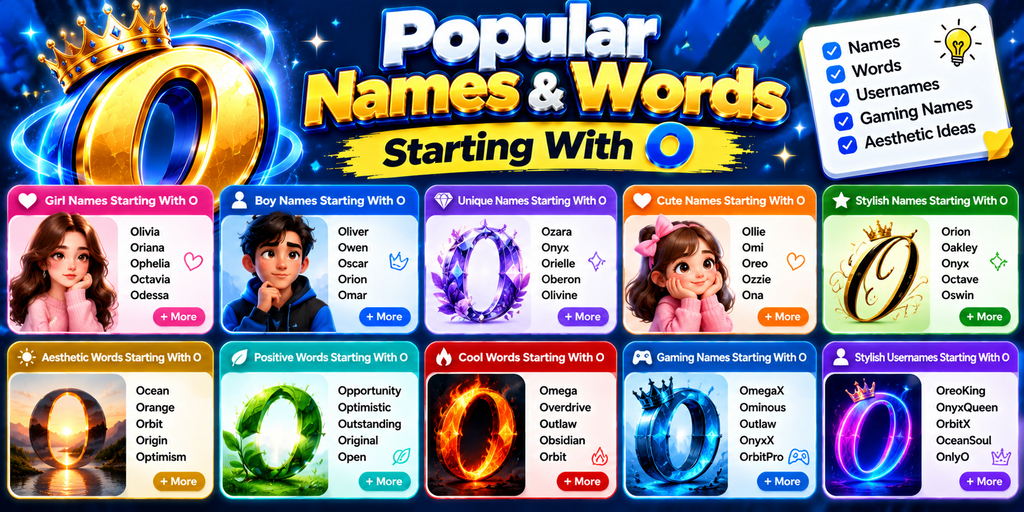
Popular O names often feel balanced because wholeness and circular geometry naturally reinforce the letter’s visual identity. In naming, this can create a polished impression while keeping the character recognizable, memorable, and adaptable across styles.
For designers, an O-based name can gain depth through symbolic association, completeness, and the circle shape. My personal experience with font tools shows deliberate symbolism can support the intended meaning without overwhelming readability or originality.
Also Read: Big text generator
Unicode O Characters
Unicode O characters let a plain letter O appear through Unicode variants, each assigned distinct code points for consistent digital display. I often test these generated characters across platforms before publishing names, bios, or designs.
Beyond ordinary fonts, decorative characters can reshape O into circular, bold, cursive, or ornamental forms without installing font files. Understanding Unicode standard behavior helps explain why some styles remain copyable, while others display inconsistently today.
How To Choose The Right Font Style
Choose a style by considering where the text will appear first. Review selectable categories and style lists to compare small or aesthetic options, especially when readability and personality need equal attention in the final design.
I usually test bold text, script styles, and glitch treatments across devices instead of trusting previews alone. This quick comparison reveals whether the chosen character set stays balanced, readable, and natural after copying and pasting.
O-Specific Meaning / Symbolism
Letter O often suggests wholeness, cycles, openness, and continuity. In O-specific pages, I use its rounded form to frame personality, balance, and creative expression, especially when decorative Unicode styles reshape familiar letterforms for identity online.
From a psychology angle, O can feel calm, complete, or enclosing, while numerology traditions connect circles with unity and renewal. In practice, aesthetic and cute designs amplify those impressions across digital uses, profiles, games, and.
Conclusion
A free font generator gives an O for stylistic text generation, from names and words to name styling and examples. Its functionality also supports O characters, Unicode mapping, and letter O variations for practical design.
Formal or casual contexts demand accessibility and screen readers consideration. Even CSS font files have limits, so font generation should preserve identities across school, conversations, writing, headings, digital documents, art, advertising, and promotional content today.
How Does A Font Generator Work?
An O Font generator works by transforming typed characters into alternative Unicode forms, then organizing each font style for copying. I use this process to test spacing, symbols, and readability before sharing styled results online.
Is The Font Generator Free To Use?
Yes, the generator supports free usage, letting you enter text, select font styles, and copy results without payment. For casual art, usernames, and popular names, this offers a practical way to explore transforming typography online.
How Do I Use The Font Generator?
From my experience, effective Step 1 is about entering readable text; Step 2 explores contrasting styles; Step 3 copies your favorite result; Step 4 pastes it across compatible apps and devices without extra formatting or editing.
How To Use Cool Fonts On iPhone And Android?
In my testing on iPhone and Android, users can change fonts by opening the generator, entering text, selecting readable Unicode style, then copying results into social apps, chats, bios, and notes. This enables free usage.
How To Change Fonts On Instagram, TikTok, And Discord?
Use a generator to prepare transforming text, then Step 1 enter your phrase, Step 2 choose styling, Step 3 copy it, and Step 4 paste into Instagram, TikTok, or Discord profiles, captions, chats directly.


